Zepto Sous-Chef:
Designing a Context-Aware Cooking Companion
Redesigning Zepto's evening flow to eliminate late-night decision fatigue, bridging the gap between peak dinner inspiration and open-fridge reality.
AI User Experience
Interaction Design
Product Strategy
Google PAIR Framework
Overview
The Evening Rush
77%
The 8 PM Fridge Stare
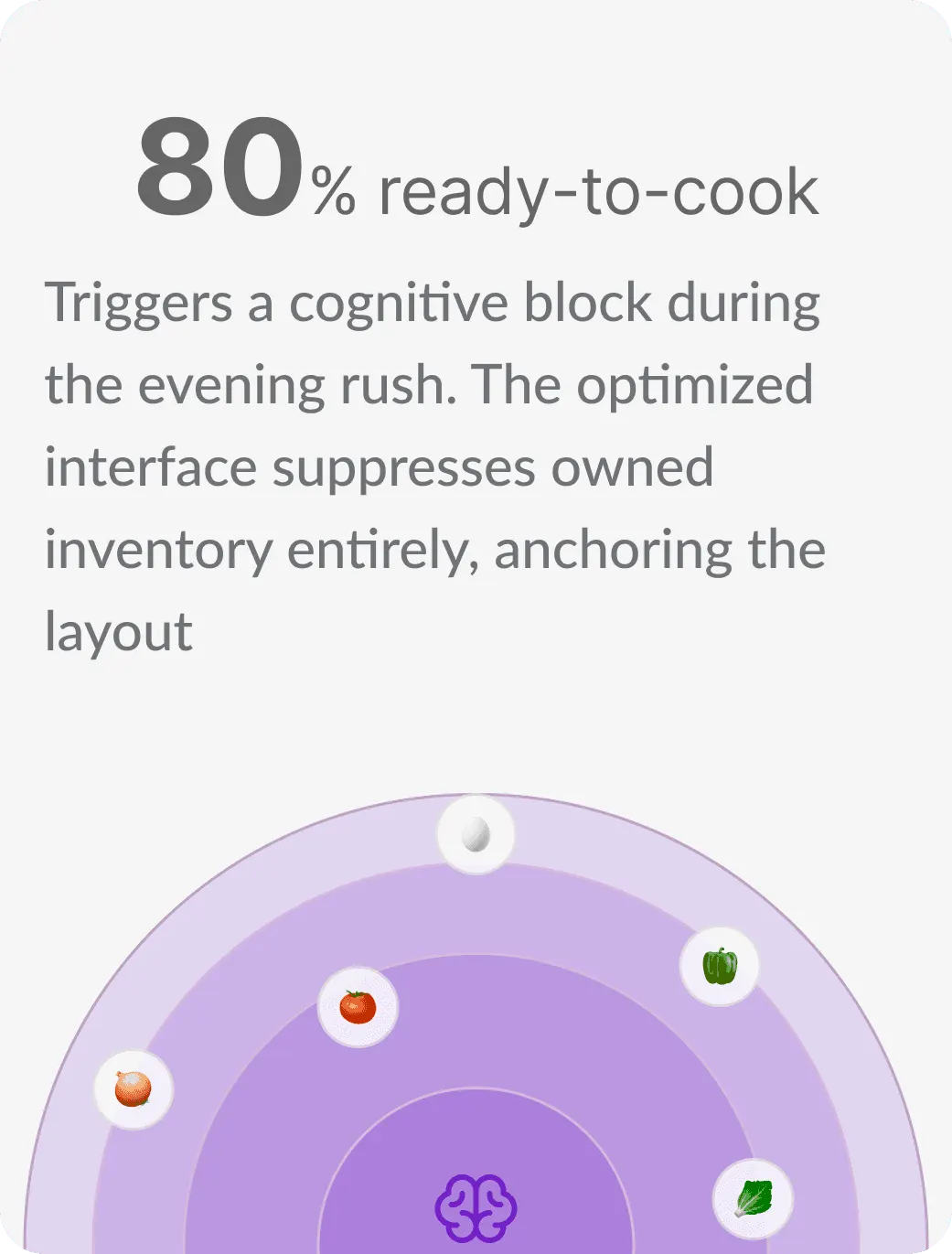
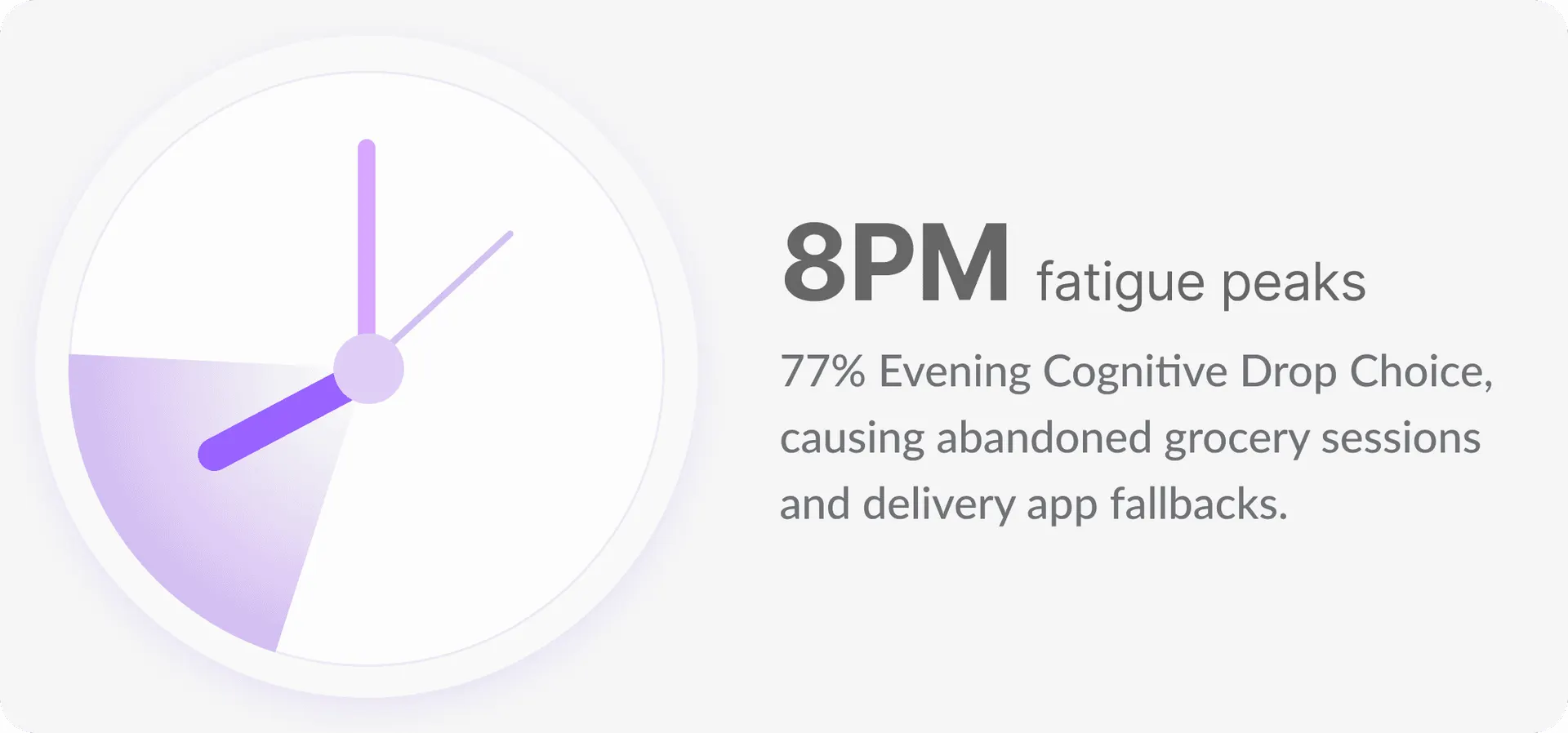
77% of working adults experience decision fatigue at night. Tired from commutes, they stare at empty shelves and drop off to Zomato/Swiggy food delivery apps.
2 Taps
Ingestion to Match
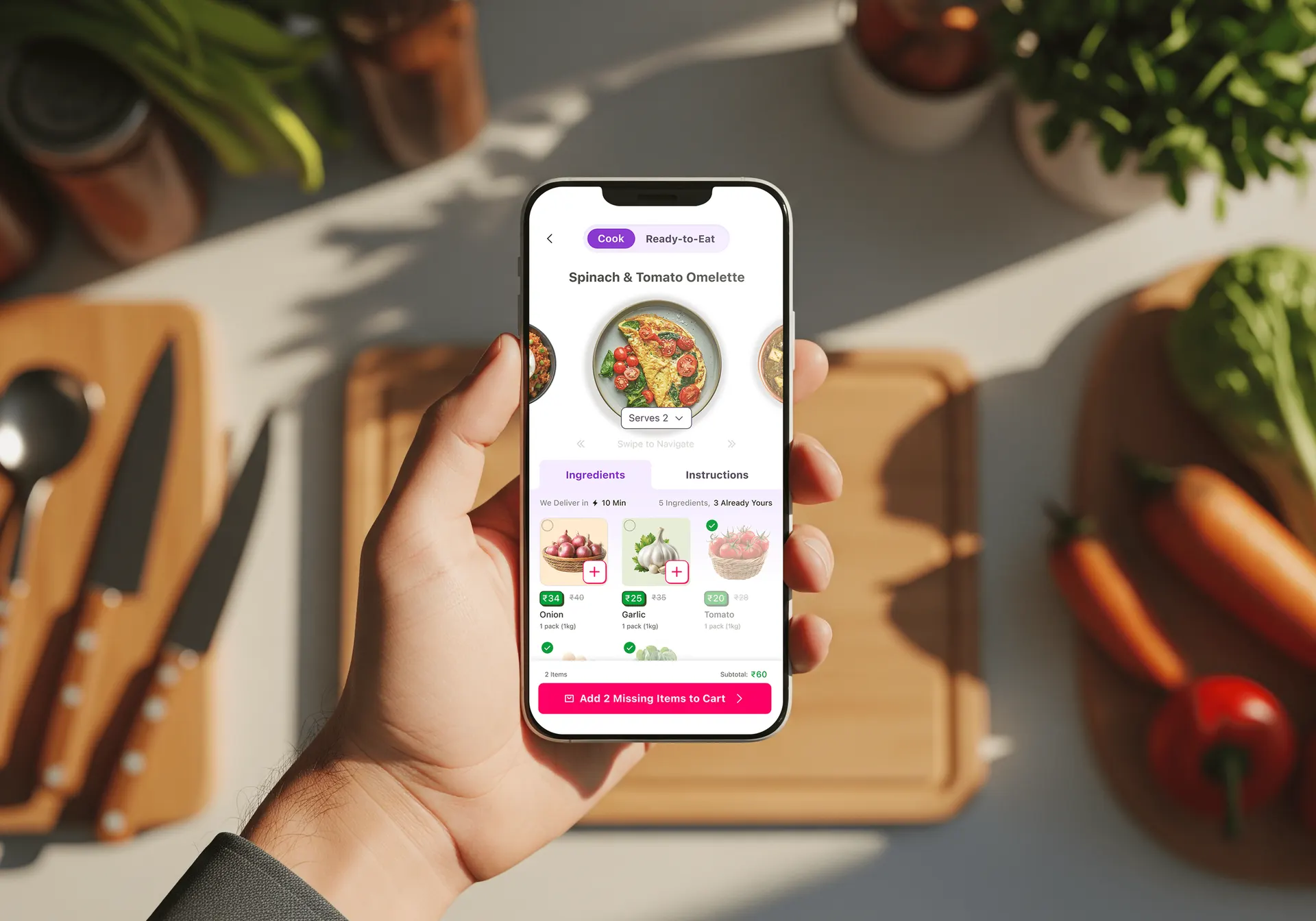
Users capture shelves with a camera scan or paste a recipe link. The AI matches ingredients against nearby dark store inventory to create a Have/Missing checklist.
₹350+
From Loss to Profit
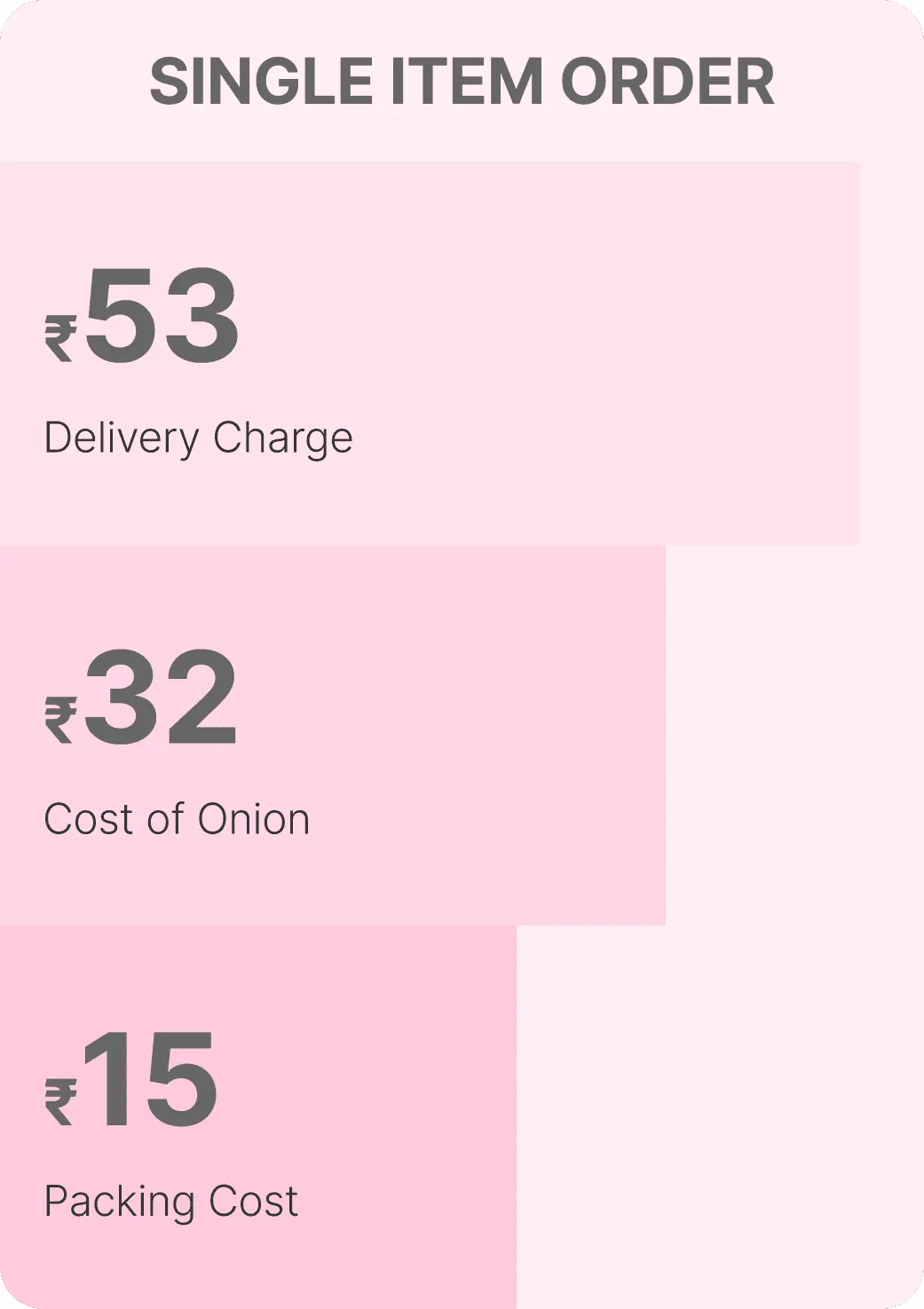
Converts unprofitable single-item emergency orders (e.g. ₹34 onions costing ₹49 net loss) into positive-margin baskets by bundling missing recipe items.
Kitchen Chaos
Friction Points in
the Evening Kitchen
Quick-commerce apps assume buying ingredients is transactional. Kitchen interviews with 24 users uncovered three systemic breakdowns.
Fragmented Funnels
Users juggle multiple sources just to figure out dinner, creating disjointed sessions.
Insta Reel
Notepad Sync
SKU Search
"I look inside my fridge, look at recipes online, and then manually search on Zepto — nothing feels connected."
Ingredient Quantity Guesswork
Manual shelf checking lacks precise volume validation, causing excessive food waste or ingredient stockouts
Curd Stock
40% (80g / 200g needed)
"I don't know if the pack of curd I have is enough, so I guess and end up wasting food."
Black-Box Skepticism
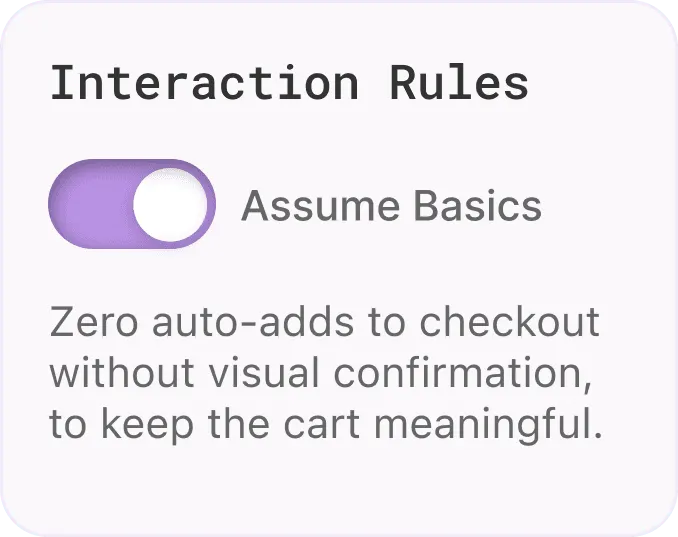
Users resist automated baskets that lack transparency. Auto-adding items to checkout creates friction and breaks system trust.
Auto-adding 4 suspected items to checkout basket.
"I don't trust apps that auto-add things to my cart."
The Path to Dinner
The Core Ingestion Journey
Four screens. Scan, verify, cook, or eat. Every step reduces friction.
01 / Inbound Capture
Fridge Ingestion & Sync
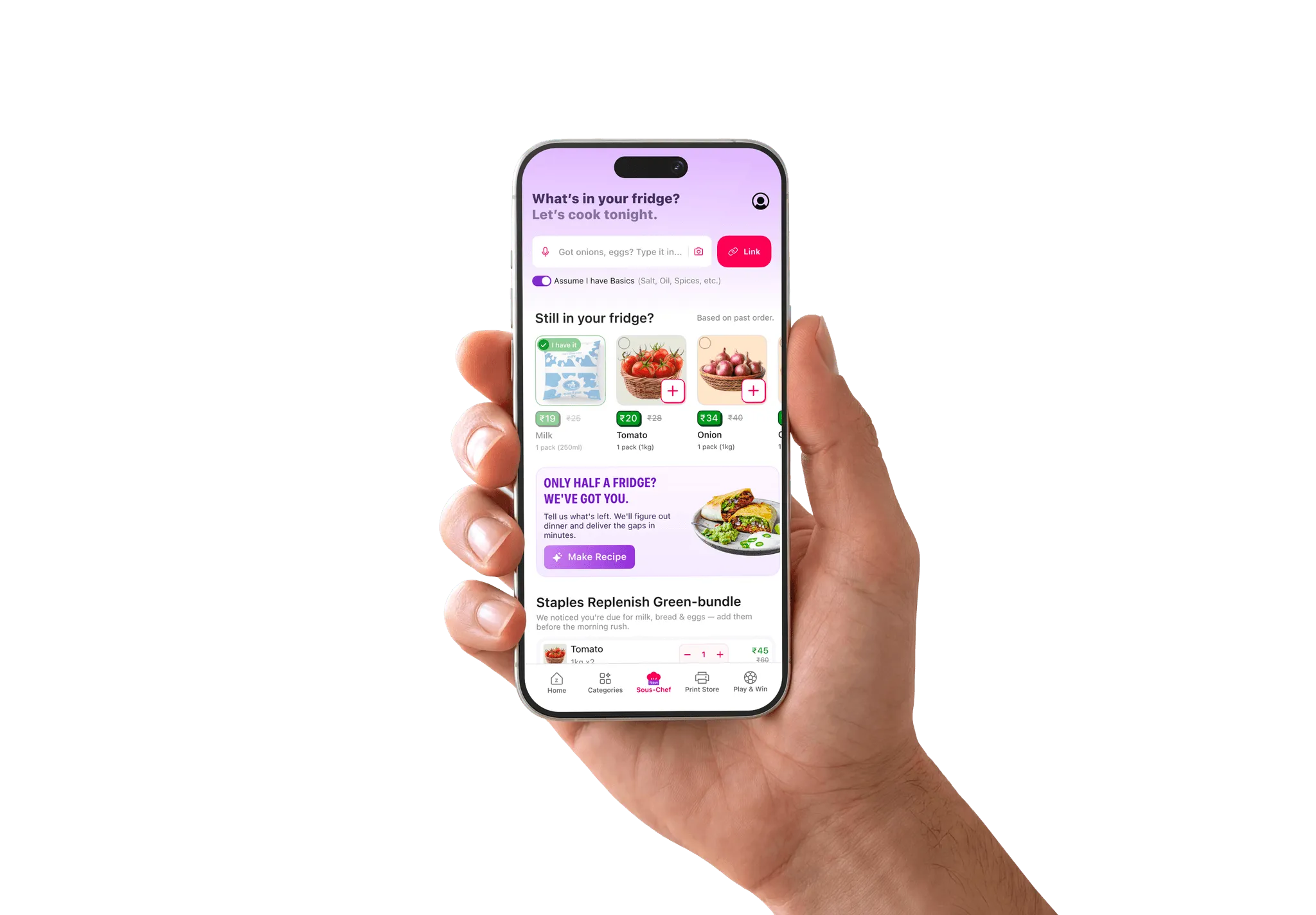
An evening home screen card prompts entry. Users scan fridge shelves, paste YouTube links, or import Instagram recipes. Assumed basics toggles skip bulk suggestions.
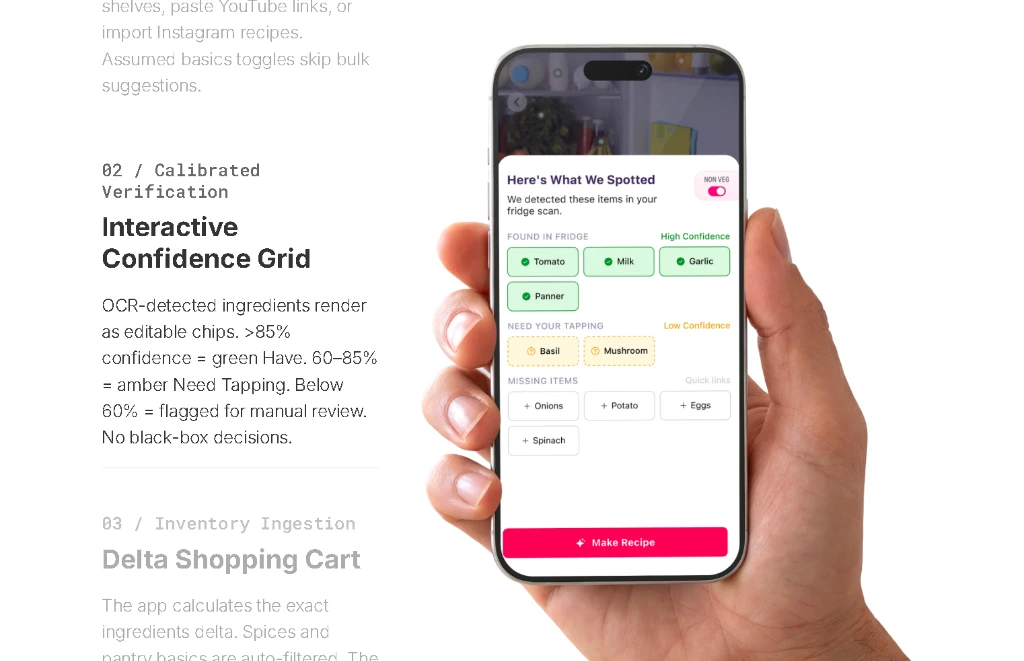
02 / Calibrated Verification
Interactive Confidence Grid
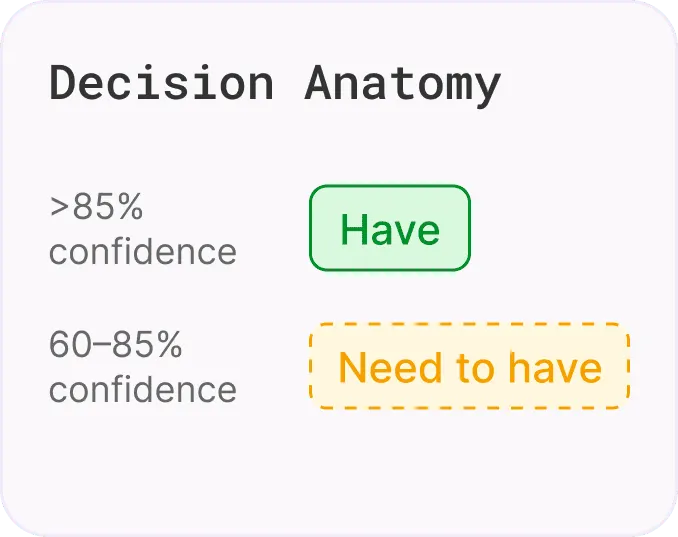
OCR-detected ingredients render as editable chips. >85% confidence = green Have. 60–85% = amber Need Tapping. Below 60% = flagged for manual review. No black-box decisions.
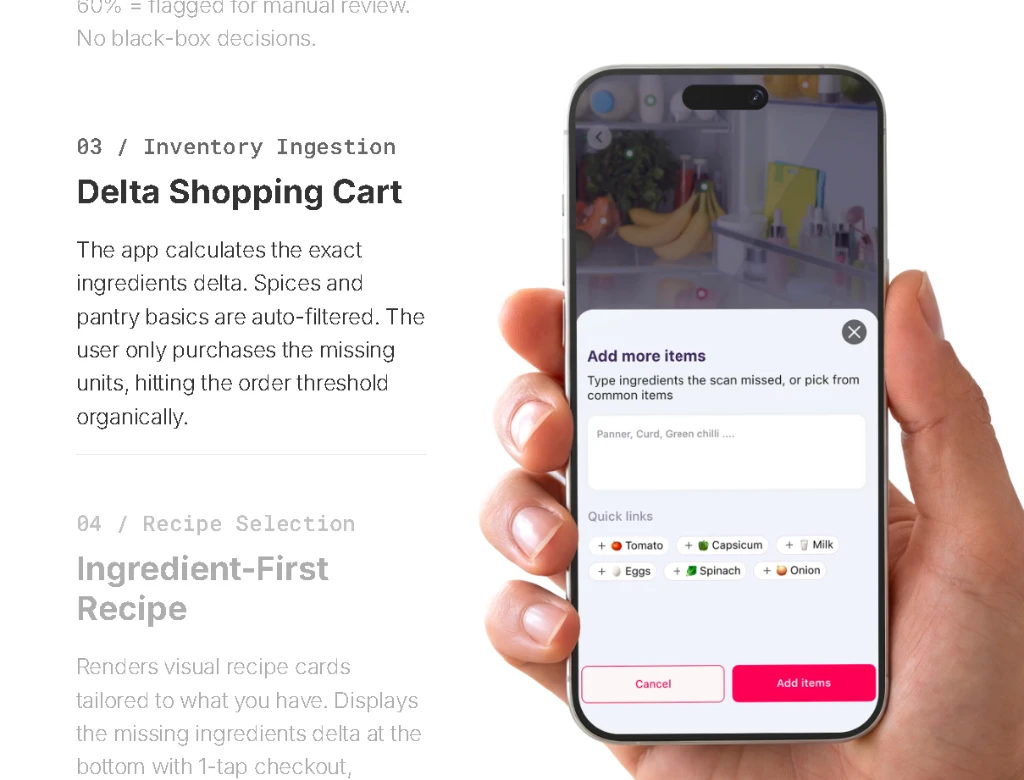
03 / Inventory Ingestion
Delta Shopping Cart
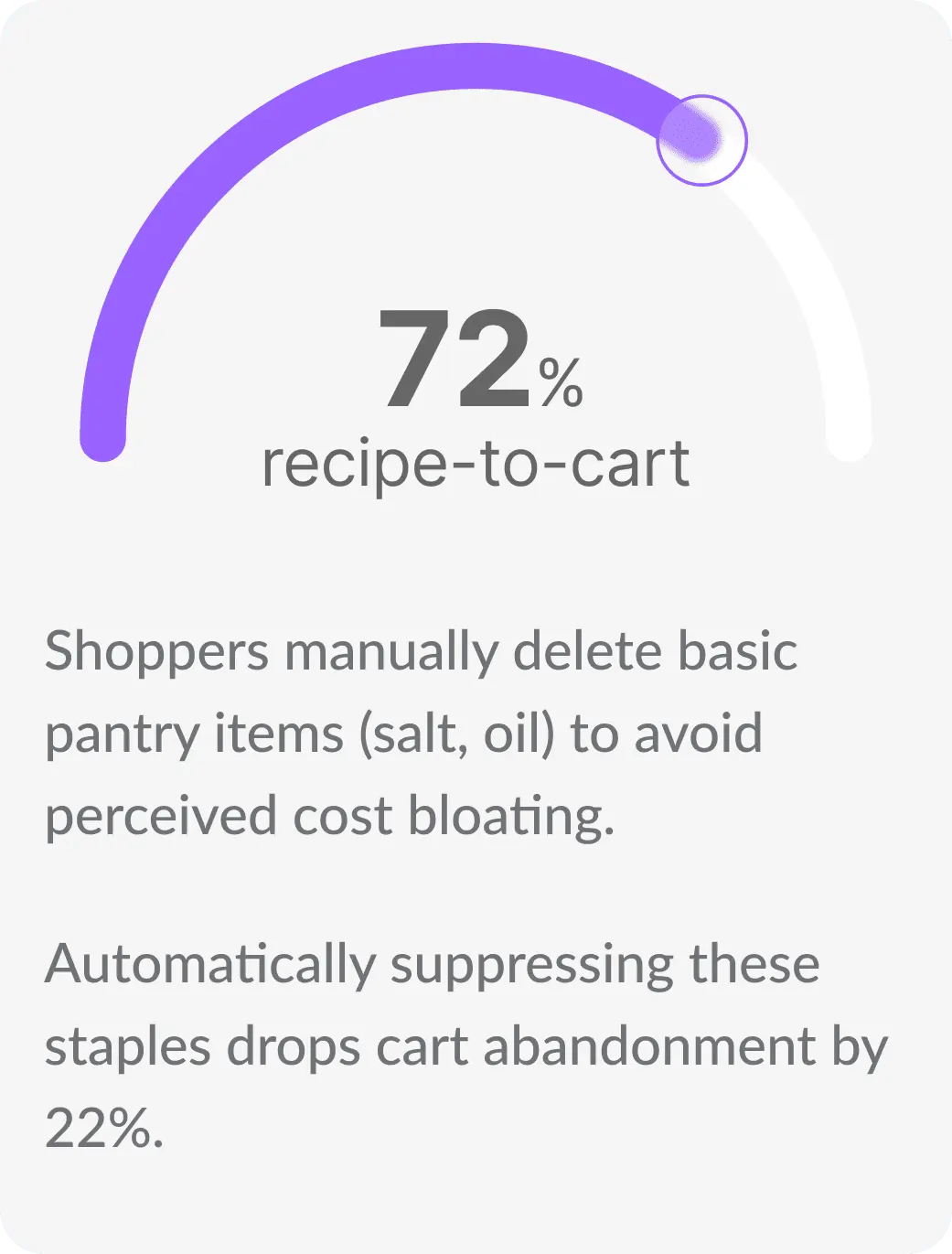
The app calculates the exact ingredients delta. Spices and pantry basics are auto-filtered. The user only purchases the missing units, hitting the order threshold organically.
04 / Recipe Selection
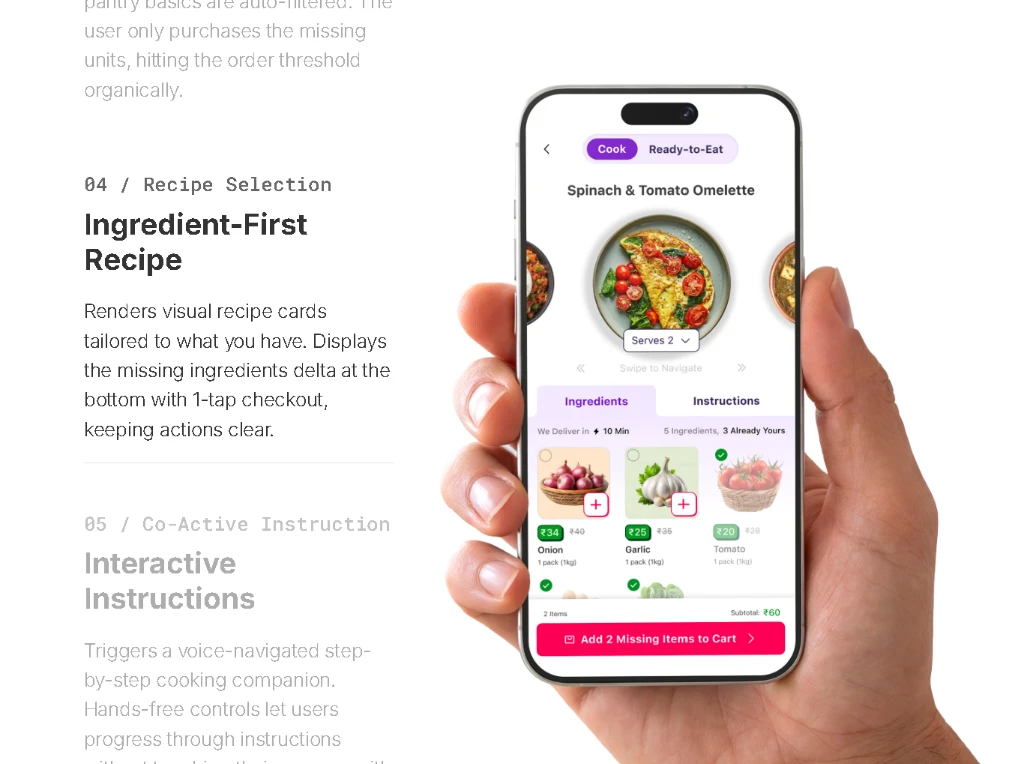
Ingredient-First Recipe
Renders visual recipe cards tailored to what you have. Displays the missing ingredients delta at the bottom with 1-tap checkout, keeping actions clear.
05 / Co-Active Instruction
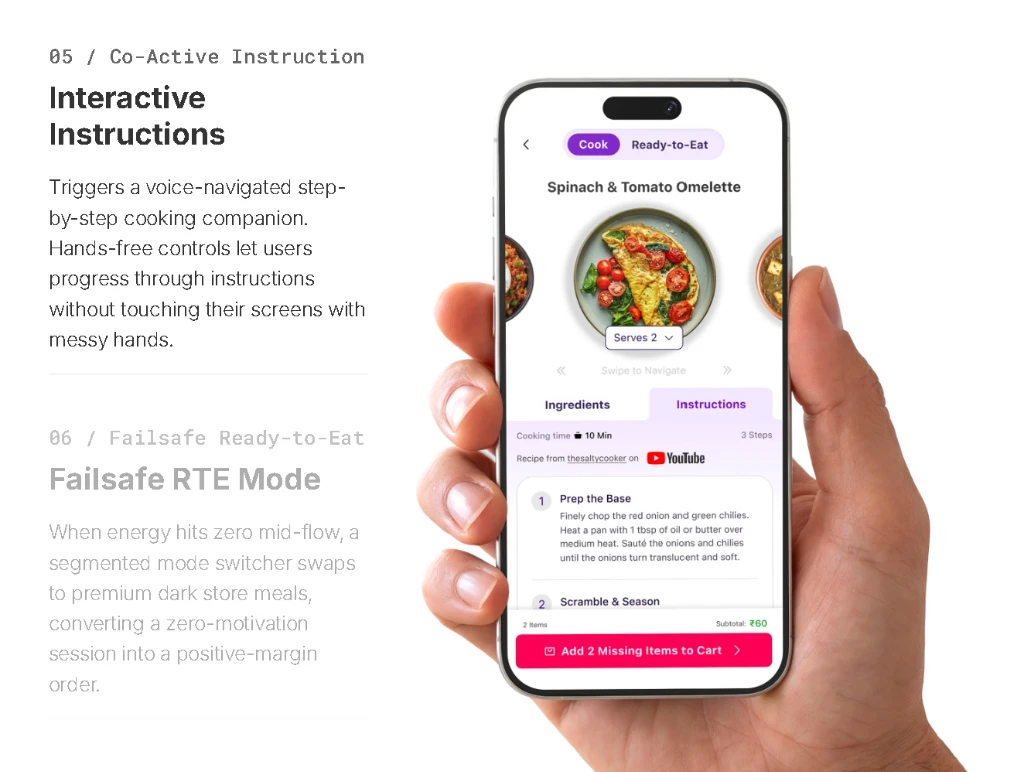
Interactive Instructions
Triggers a voice-navigated step-by-step cooking companion. Hands-free controls let users progress through instructions without touching their screens with messy hands.
06 / Failsafe Ready-to-Eat
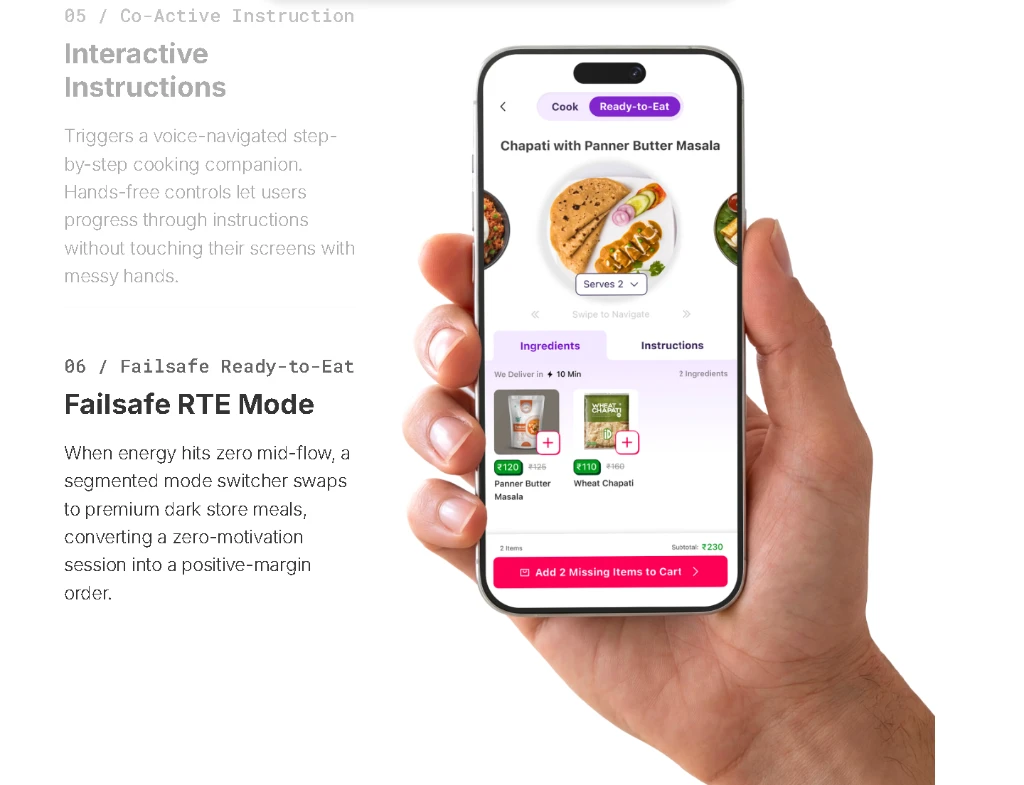
Failsafe RTE Mode
When energy hits zero mid-flow, a segmented mode switcher swaps to premium dark store meals, converting a zero-motivation session into a positive-margin order.
Insights
Decoding the Indian Cook
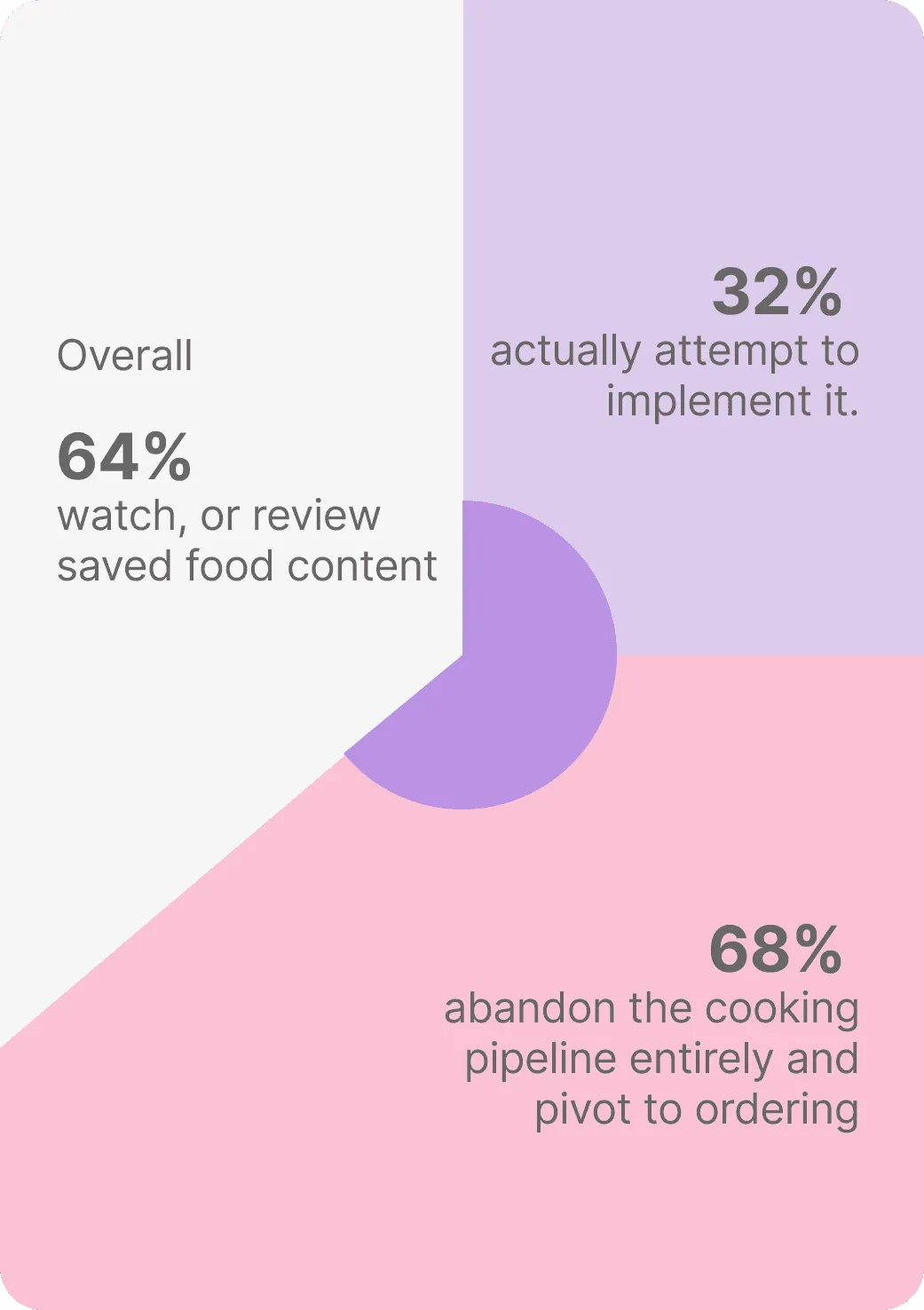
Decoded urban Indian cooking behavior, peak fatigue windows, and AI interaction policies using the Google PAIR framework.
When the AI Fails
Designing for Failure
AI-assisted scanning is inherently probabilistic. We engineered recovery states for every failure mode before dev handoff.
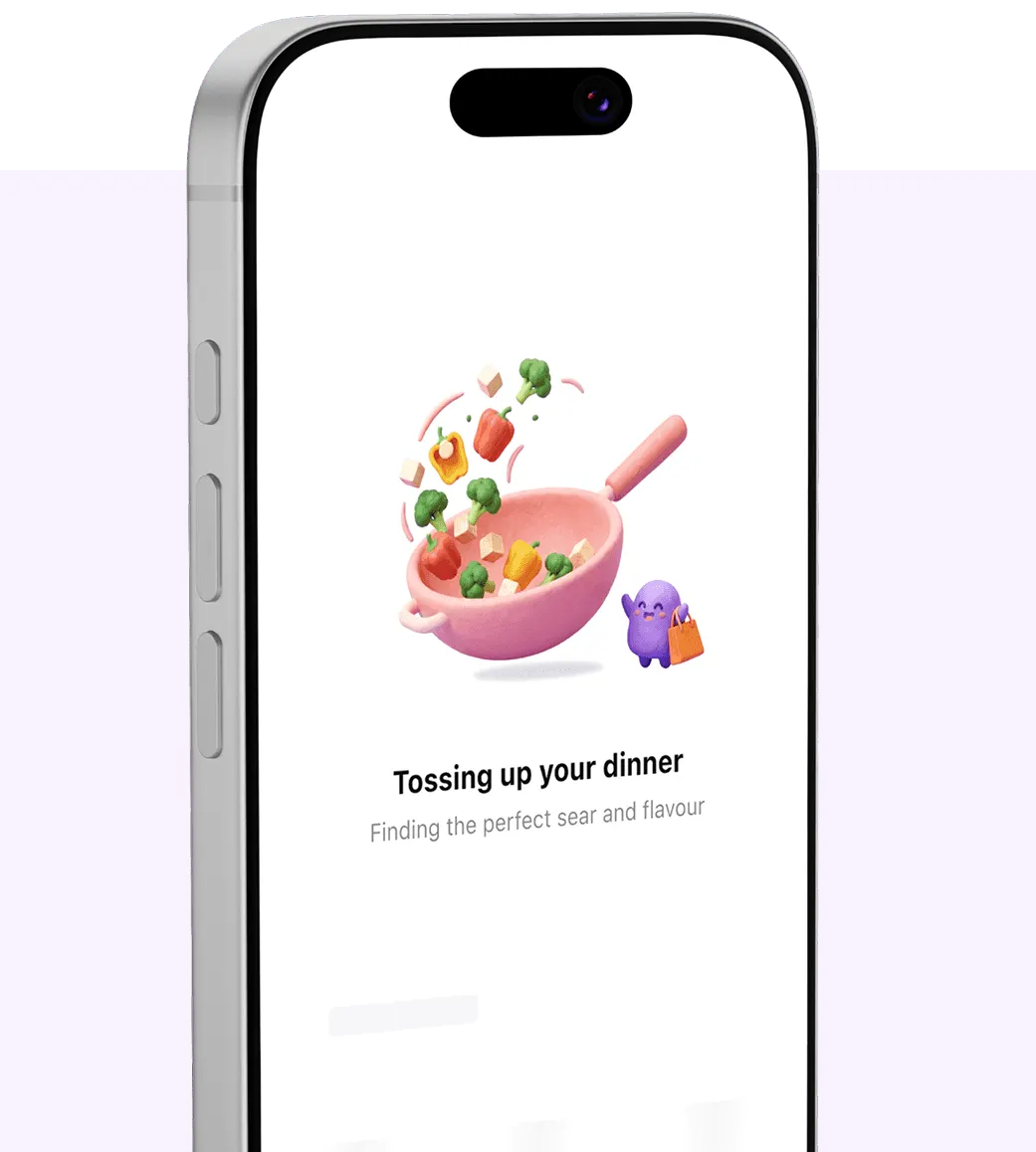
Skeleton Loading States
LLM parsing takes 0.8–1.2s. Skeleton screens maintain system visibility during this window — preventing the "nothing is happening" abandonment that kills conversion during scans.
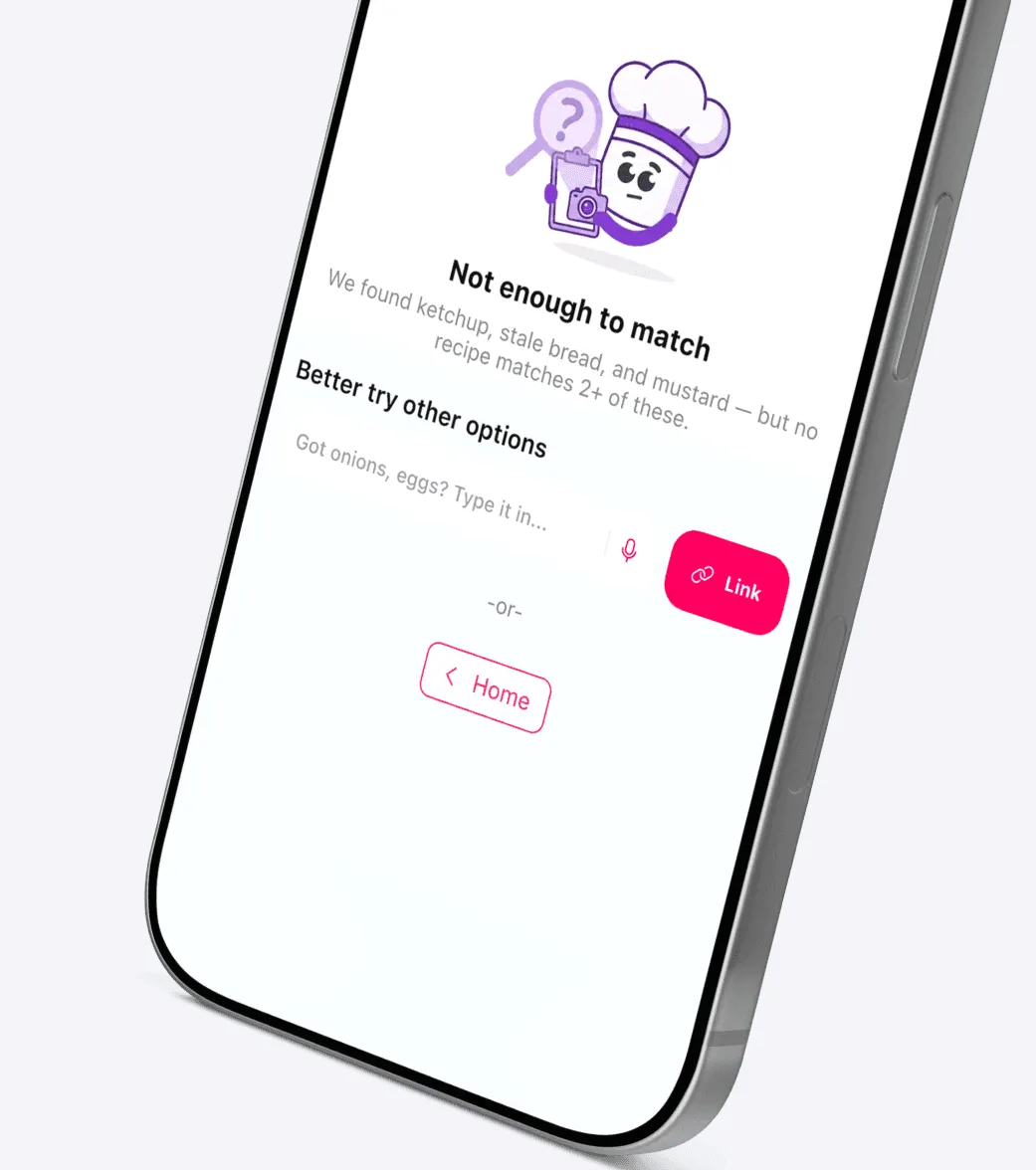
The Zero-Match State
When the fridge scan finds no recipe matches, a Sous-Chef assistant appears offering direct text input, manual item search, or recipe link paste as recovery paths. No dead end.
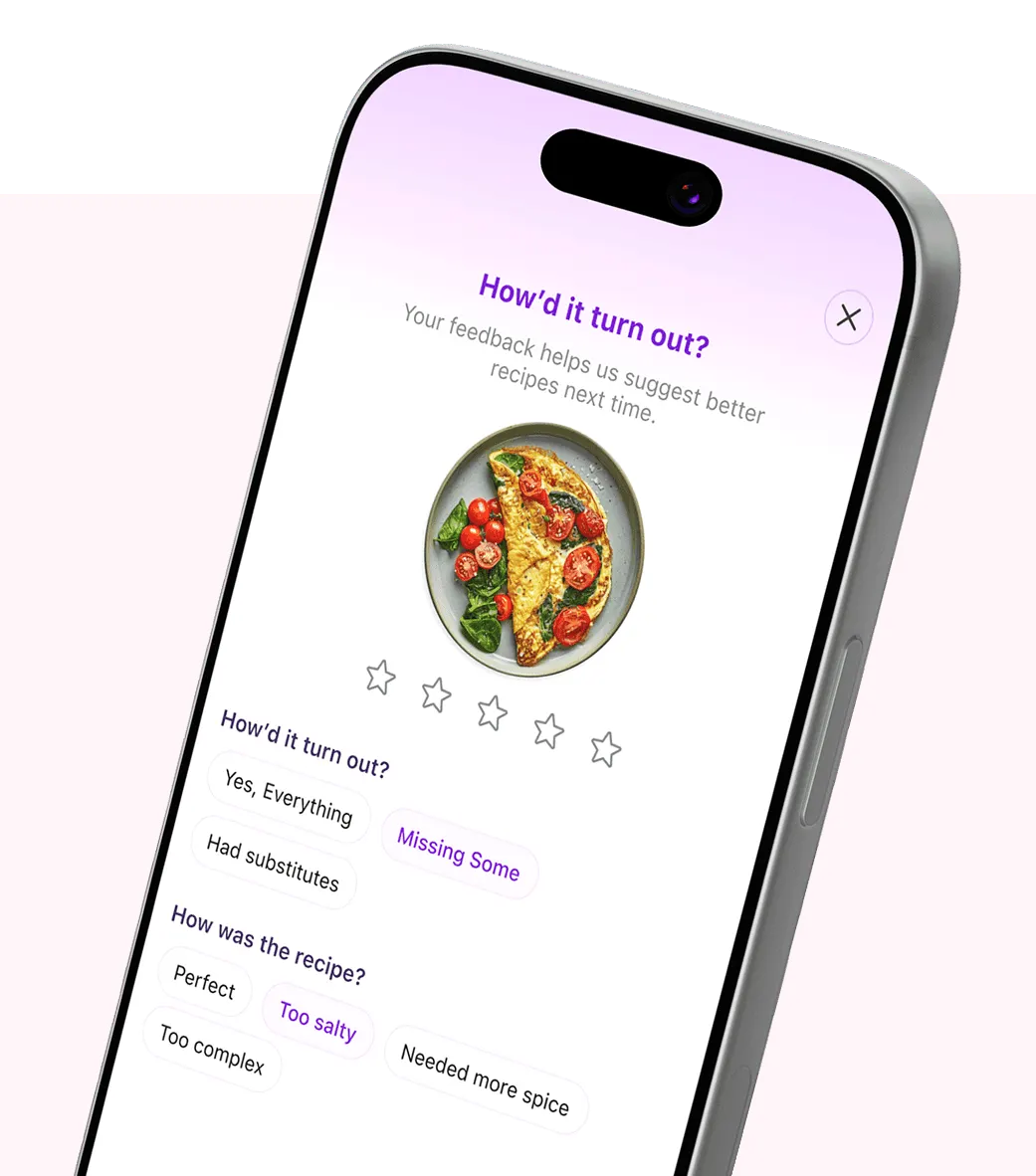
Post-Cook Rating Loop
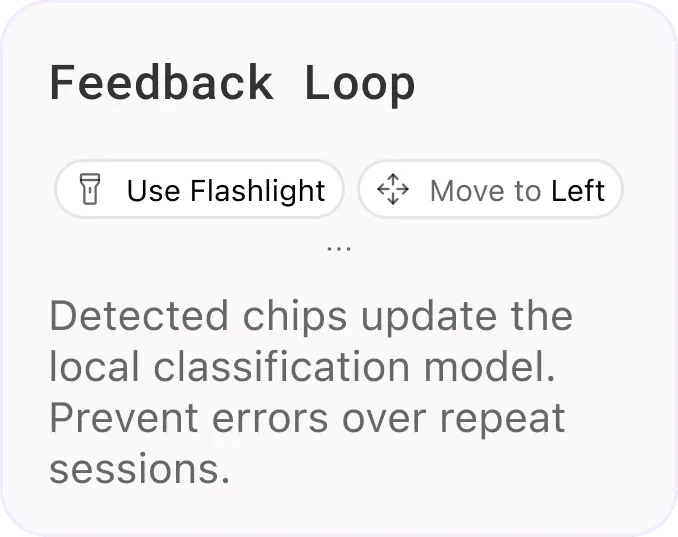
A minimal 3-question post-cook review (ingredient quality, taste, missing items) feeds back into the confidence model, personalizing detection thresholds for the next session.
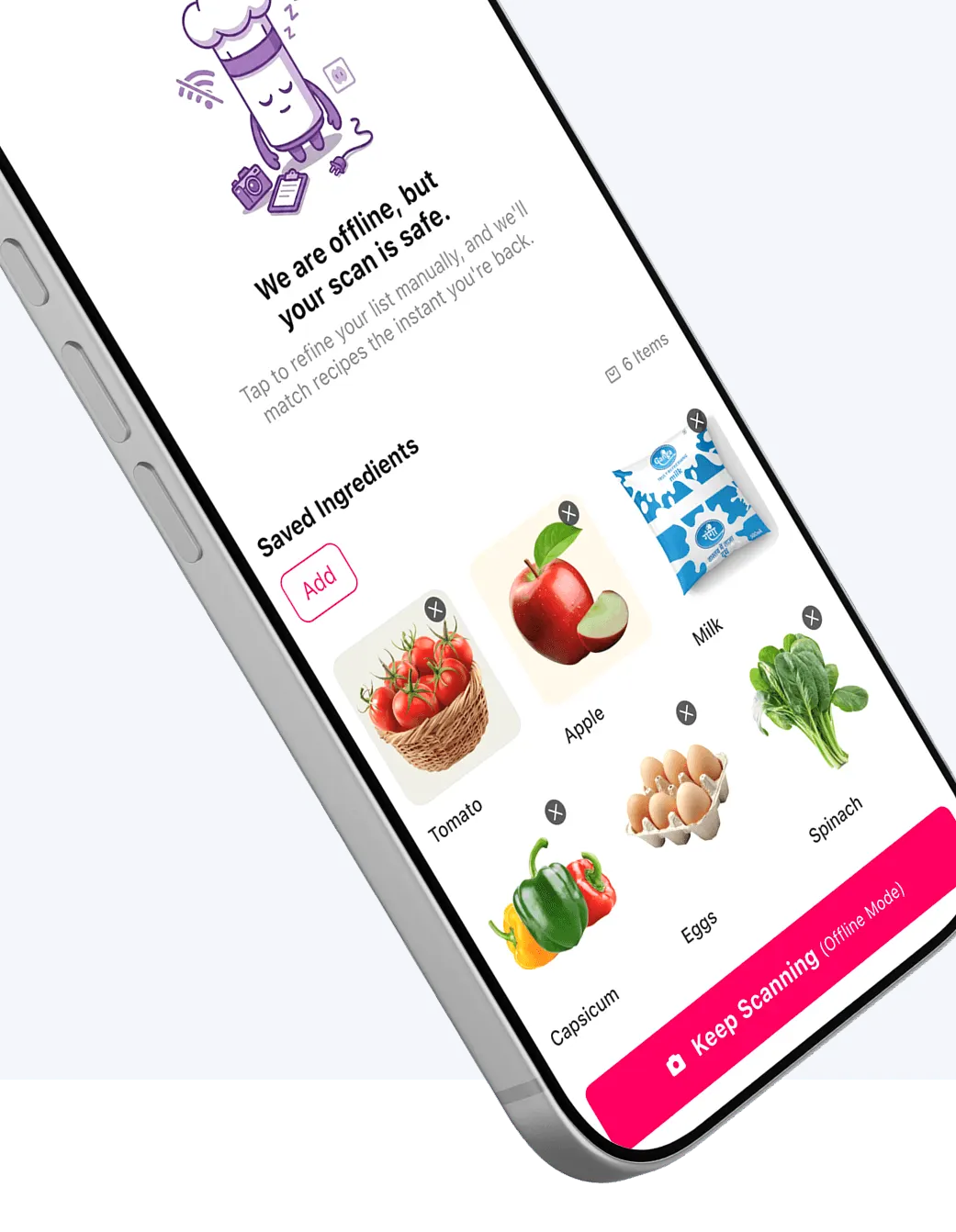
Offline State
Instead of blocking with connection errors in signal-dead zones, the app caches scanned items locally. Users can edit lists offline, auto-syncing recipes the instant they're back online.
Proving the Prototype
AI-Assisted Usability Testing
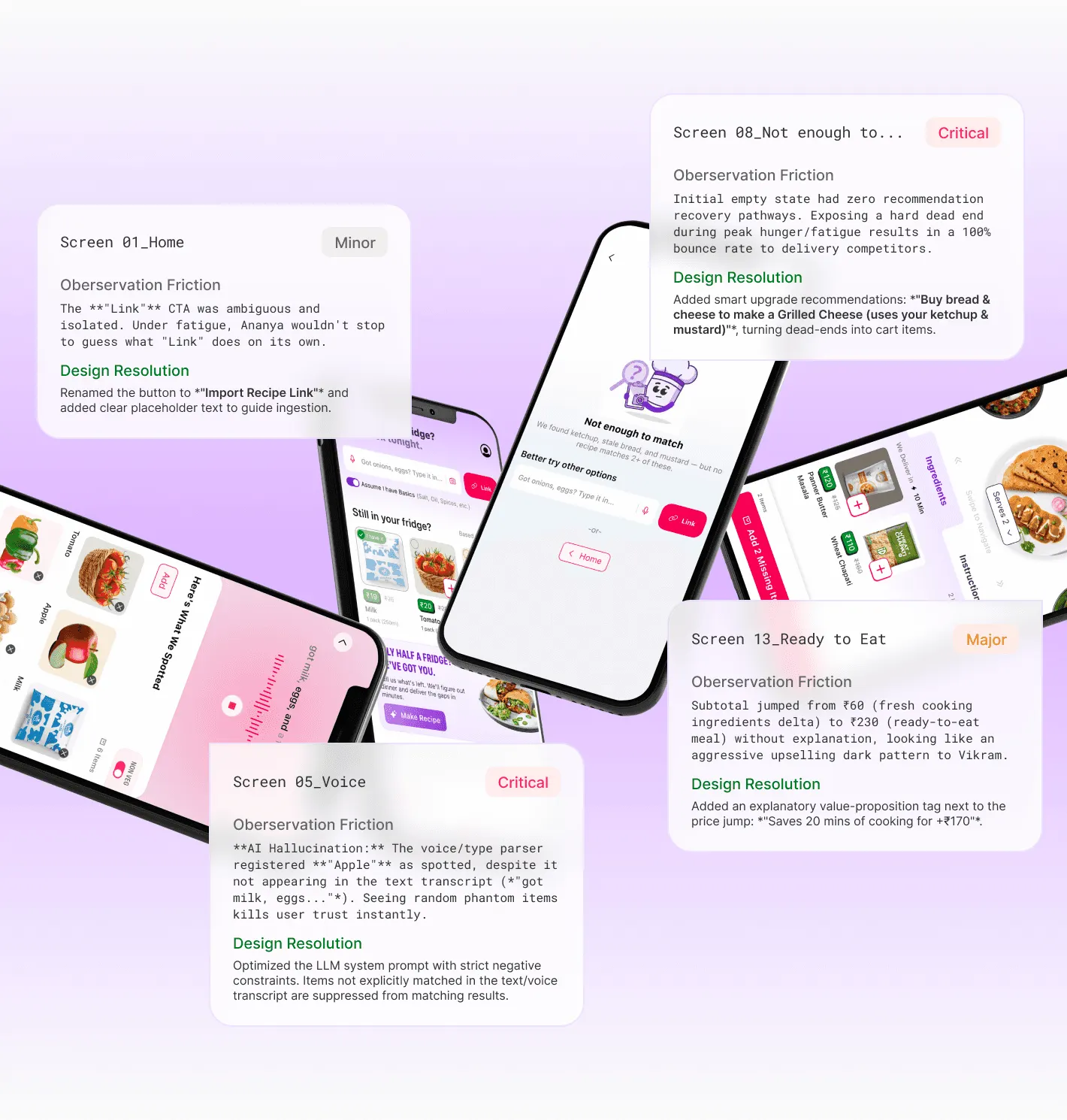
We executed an unmoderated, AI-assisted usability evaluation on 14 Figma screens. By feeding screens to Gemini to simulate Ananya (low attention, single-handed) and Vikram (waste-averse, budget-deliberate), we audited heuristics prior to engineering handoff.
82%
Usability Score
77% Evening Cognitive Drop Choice, causing abandoned grocery sessions and delivery app fallbacks.
Gemini
Unmoderated Testing Methodology
77% Evening Cognitive Drop Choice, causing abandoned grocery sessions and delivery app fallbacks.
Beyond the Kitchen
Scaling the Interface
What was contributed to the component library, and what the process taught.
Co-Active Trust Over Automation
Aggressive AI carting fails in high-stakes checkout. Transparent confidence intervals and interactive verification chips are the true drivers of cart retention.
Design for High-Stress States
Exhausted transit commuters require extreme accessibility—large 48px touch targets anchored in the bottom 40% comfort sweep zone, and zero typing reliance.
Progressive Feedback Cures Anxiety
Chunking multi-second AI OCR scanner parsing into real-time, progressive skeleton chips replaces cognitive loading anxiety with system feedback momentum.
Service Design Crosses the Fridge
Great quick-commerce UX orchestrates real-world kitchen logistics, seamlessly mapping physical constraints (like ingredient expiry and dark store portions) directly into the app.