
Intelligent Procurement Platform
Procure AI
AI‑driven platform that surfaces actionable negotiation strategies and automates RFQ‑to‑award tasks.
Timeline
6 Months
Role
Lead UX — research, interaction design, prototyping, validation, handoff for the end‑to‑end Procurement experience.
Tools
Micro
Figma
After effects
My Impact
Transformed Procure AI from a complex procurement tool into a guided, human‑centered platform — reducing prep time, clarifying workflows, and empowering confident negotiations
Workflow Clarity
Prep Time Reduction
Savings Identification
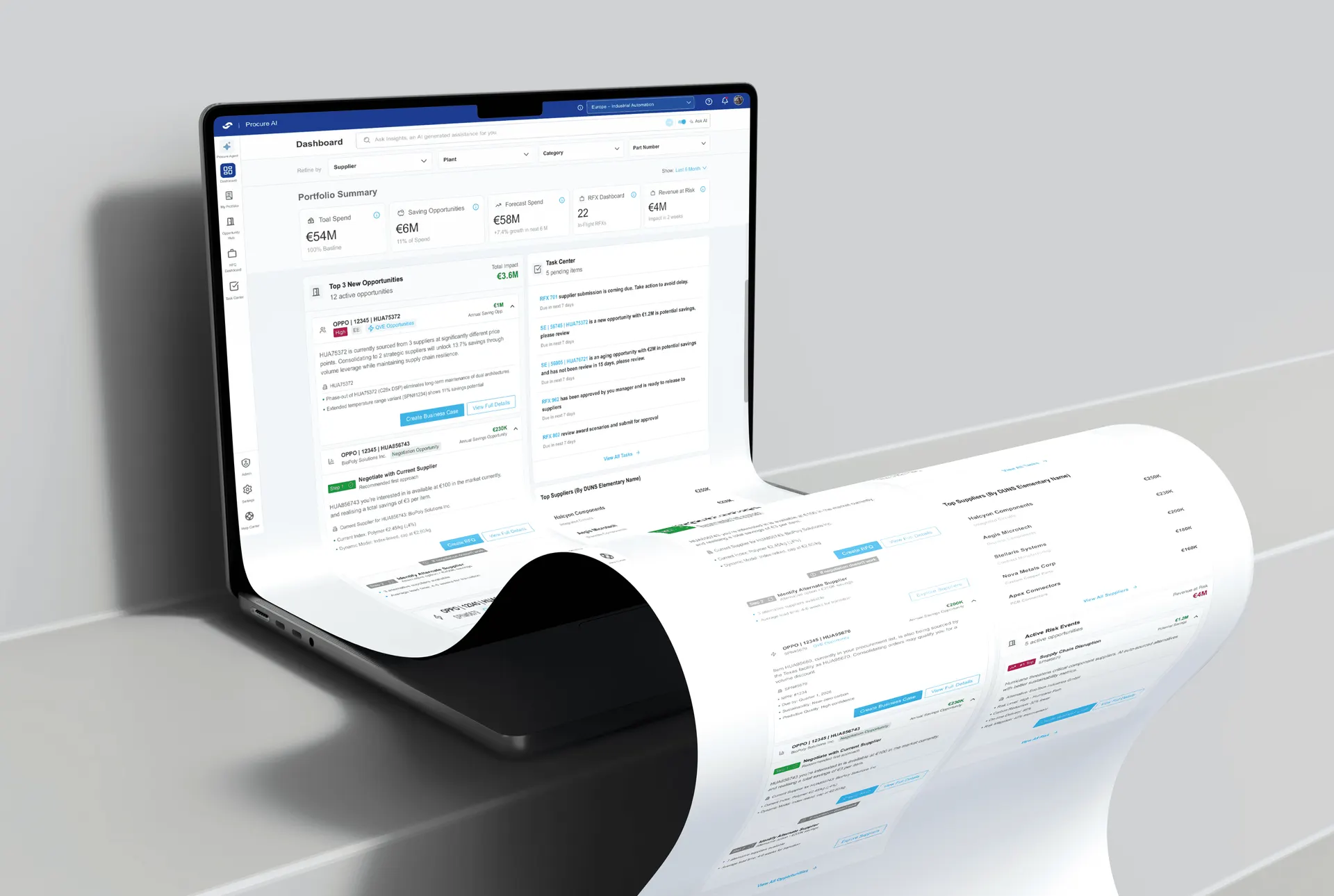

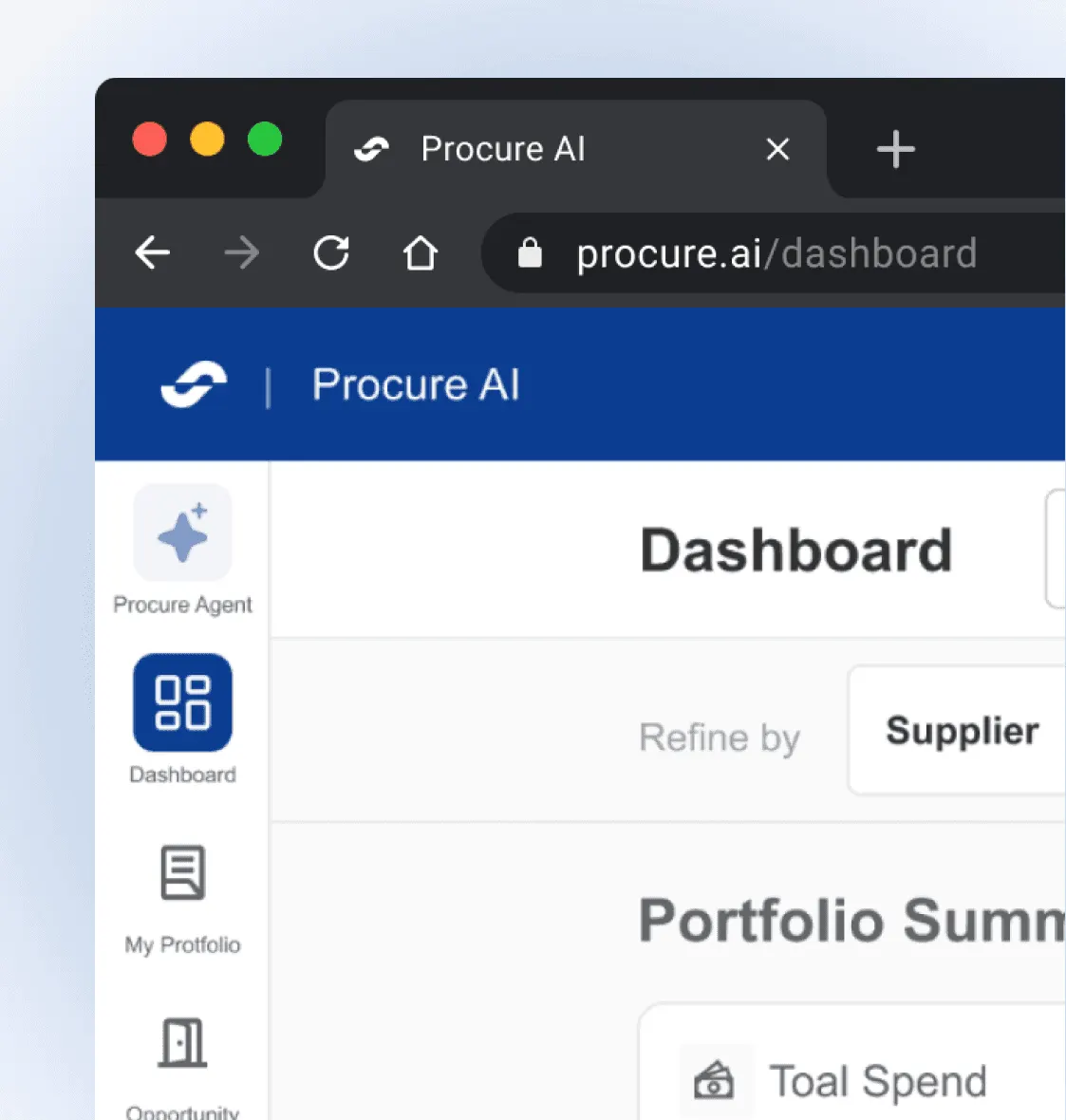
Context
In 2025, procurement teams were still buried in spreadsheets, email chains, and rigid ERP workflows. With 80% relying on Excel macros for RFQ splitting and 72% reporting ERP sync failures, the process was slow, error-prone, and opaque.
As the UX Designer, I led the transformation of this fragmented experience into Procure AI — a platform that adapts to user context, surfaces savings opportunities, and guides teams through RFQs, simulations, and supplier decisions with clarity and confidence.
What We’re Solving
Procurement users aren’t asking for more features
— they’re asking for clarity, speed, and control. Here’s what they’ve told us:
Fragmented Workflows
“I juggle spreadsheets, emails, and ERP systems — nothing feels connected.”
Unclear Priorities
“I waste hours just figuring out which RFQs are pending and who owns them.”
$
Missed Opportunities
“We miss savings because comparing parts and suppliers is too manual.”
Broken Collaboration
“Feedback and approvals happen outside the platform — drafts get lost in email chains.”
Low Confidence
“I don’t trust the system to guide me, so I fall back on Excel and gut instinct.”
Highlights
Switch seamlessly between country or category profiles.
Users struggled with fragmented workflows; applying contextual adaptation made dashboards flexible yet scalable across markets.
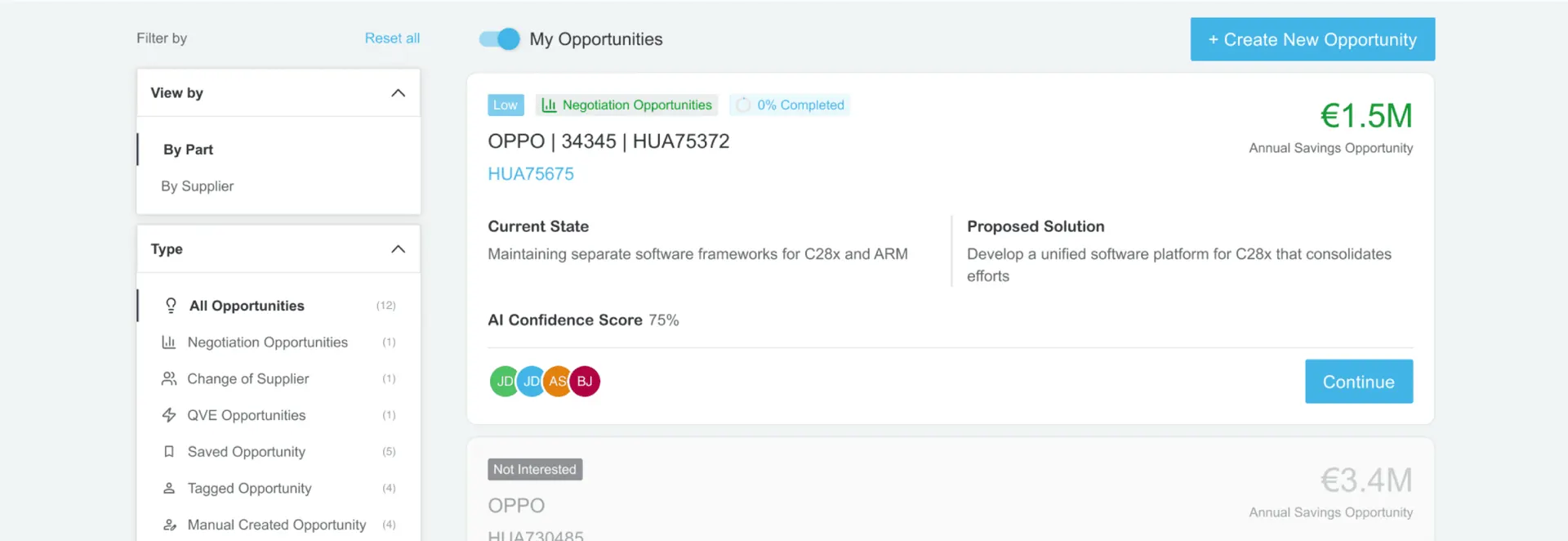
AI surfaces hidden savings from historical records.
Procurement data was overwhelming; using predictive insights turned buried numbers into clear, actionable opportunities.
Edit part dimensions in real‑time with interactive 3D.
Static tables lacked clarity; direct manipulation gave users tangible control and confidence in opportunity validation.
Compare up to four parts across multiple suppliers.
Managers juggled spreadsheets; applying the comparison table pattern simplified analysis and reduced cognitive load.
Insights
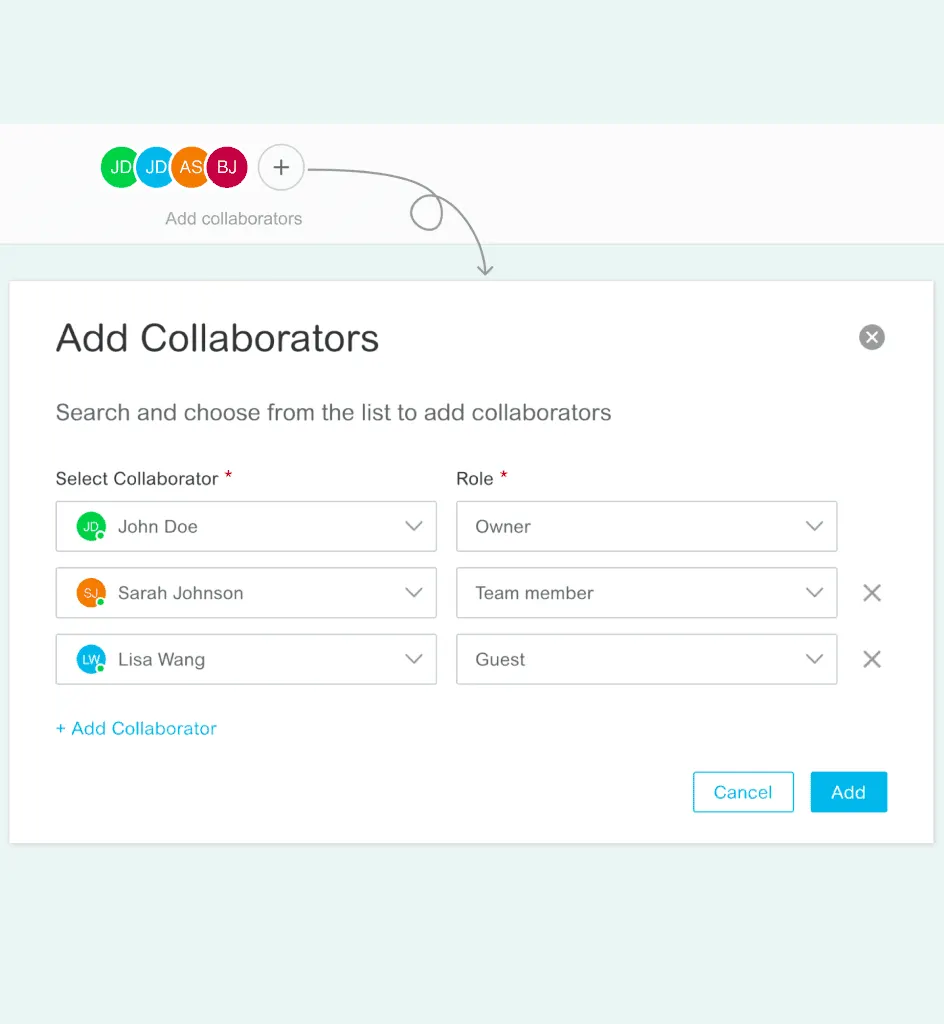
In the Discovery Phase, our goal was to uncover real procurement challenges and translate them into design opportunities. We focused on achieving clarity in workflows, confidence in decisions, and seamless collaboration by aligning both user needs and business goals.
To extract these insights, we conducted 10 user interviews, ran secondary research using industry reports, and performed a competitive audit of leading platforms. This revealed systemic issues like fragmented tools, manual overload, and trust gaps, which design could directly address to build a more adaptive, intelligent ecosystem.
80%
still realy on excel macros for RFQ splitting and Simulations
72%
Report ERP sync failure a recuring compliance post-award.
64%
Feel collaboration is broken due to scattered email and chat threads
I juggle RFQs, supplier data, and simulations across spreadsheets and emails — it’s chaotic and slow.
- Walter W

04+
Hrs/day
Time spent by category manager on manual data prep. before launching RFQs.
3-4
RFQs/day
Average task capacity before delay and error begin to surface.
Competitor Analysis
SAP Ariba, Coupa, Jaggaer, Procuify, Fairmarkit, Scout RFP
Feature name/function
Profile Management
RFQ Creation
AI Opportunity Detection
Collaboration (Internal)
Part Overview & Comparison
Task Prioritization
Risk Alerts & Mitigatio
Scenario Simulation with AI
Problem and solution
Turning Challenges into streamlined solution
Layer
Systematic Workflows
AI Powered Engine
A dash of contextual Profile Switching with a scoop of AI-driven Opportunity Hub
Prioritized List
With logical confidence
A sprinkle of prioritized Task Center, served with smart RFQ and Simulation workflows
Solution
Ideation
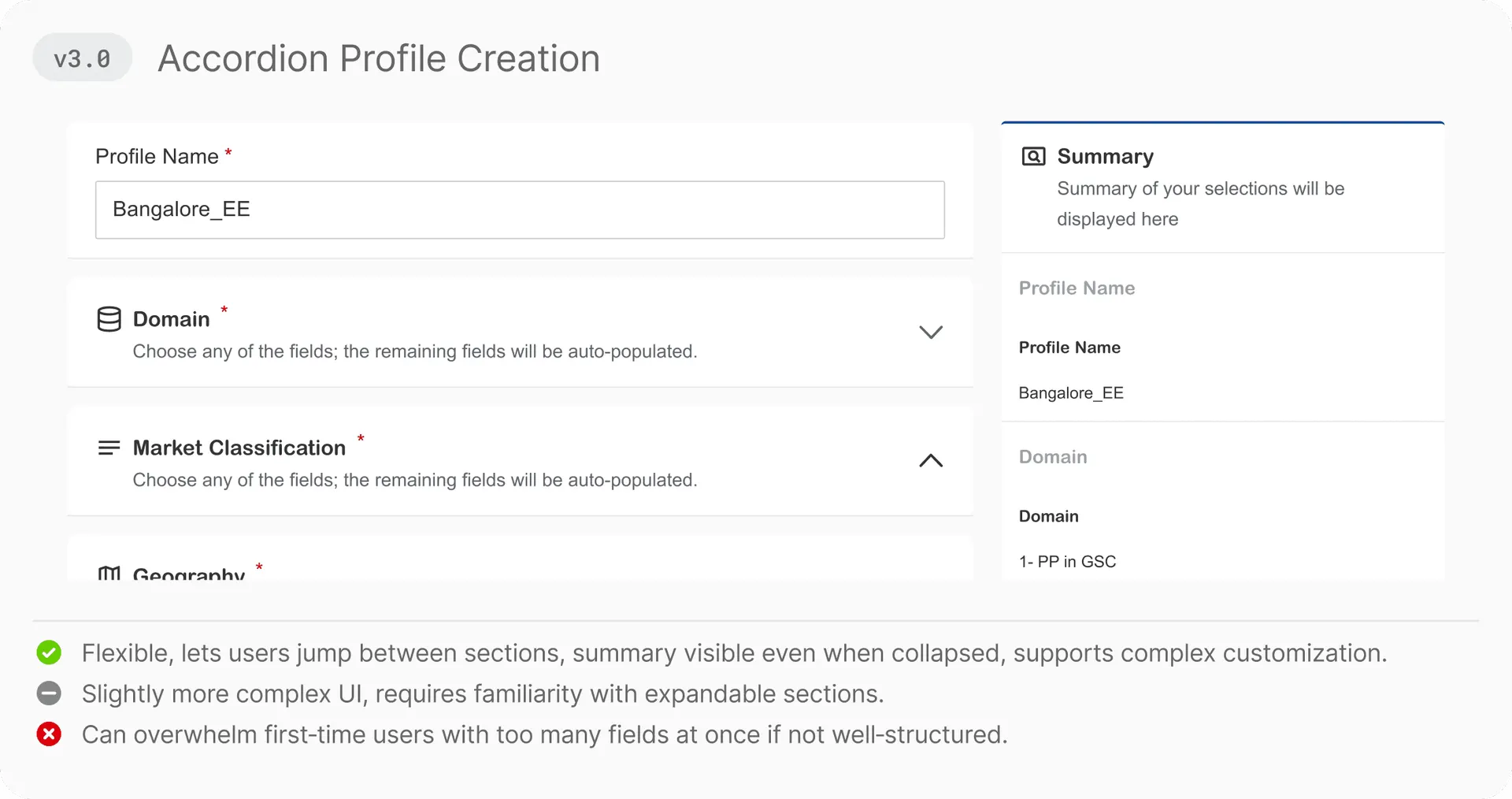
[Profile Creation]
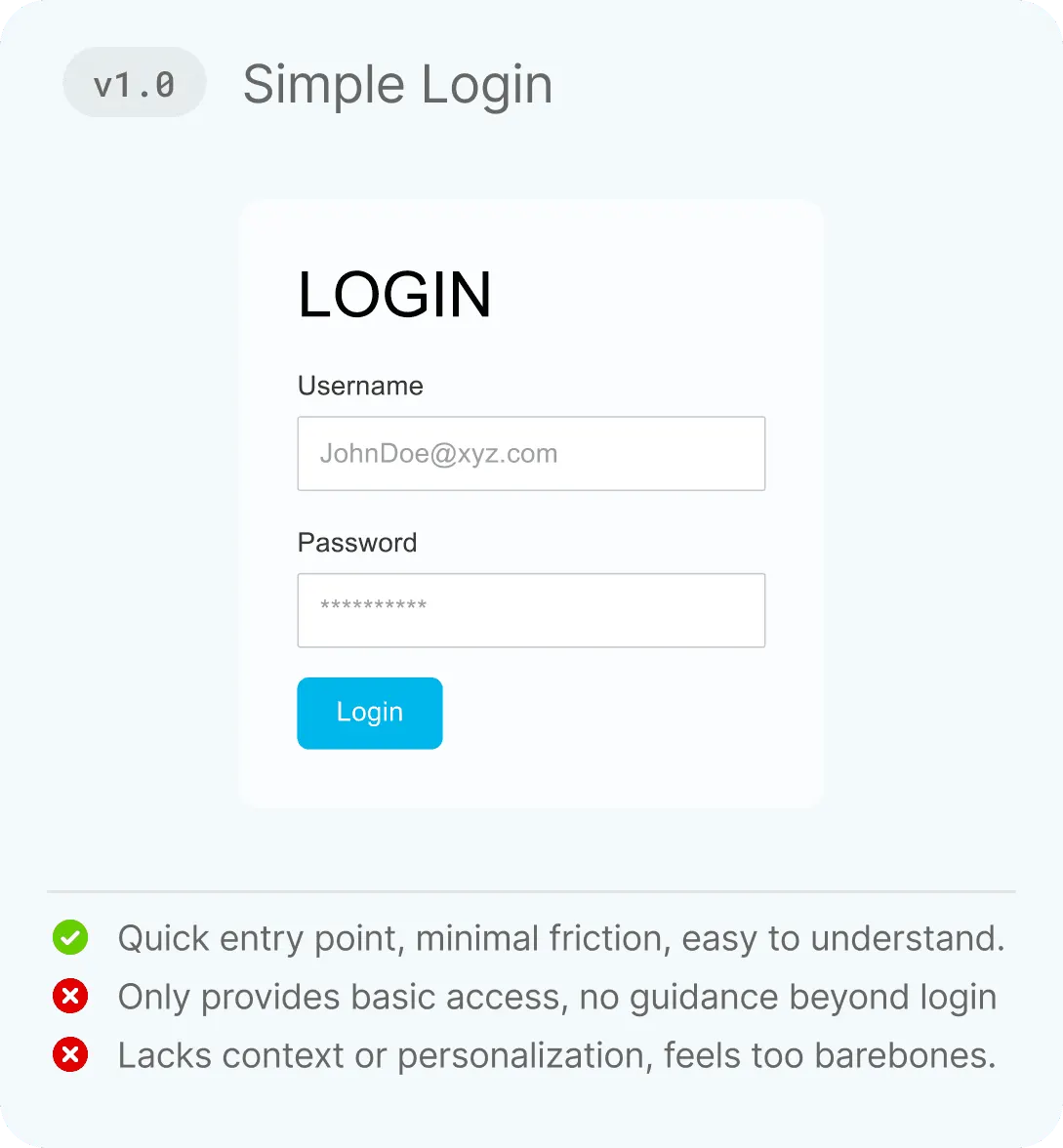
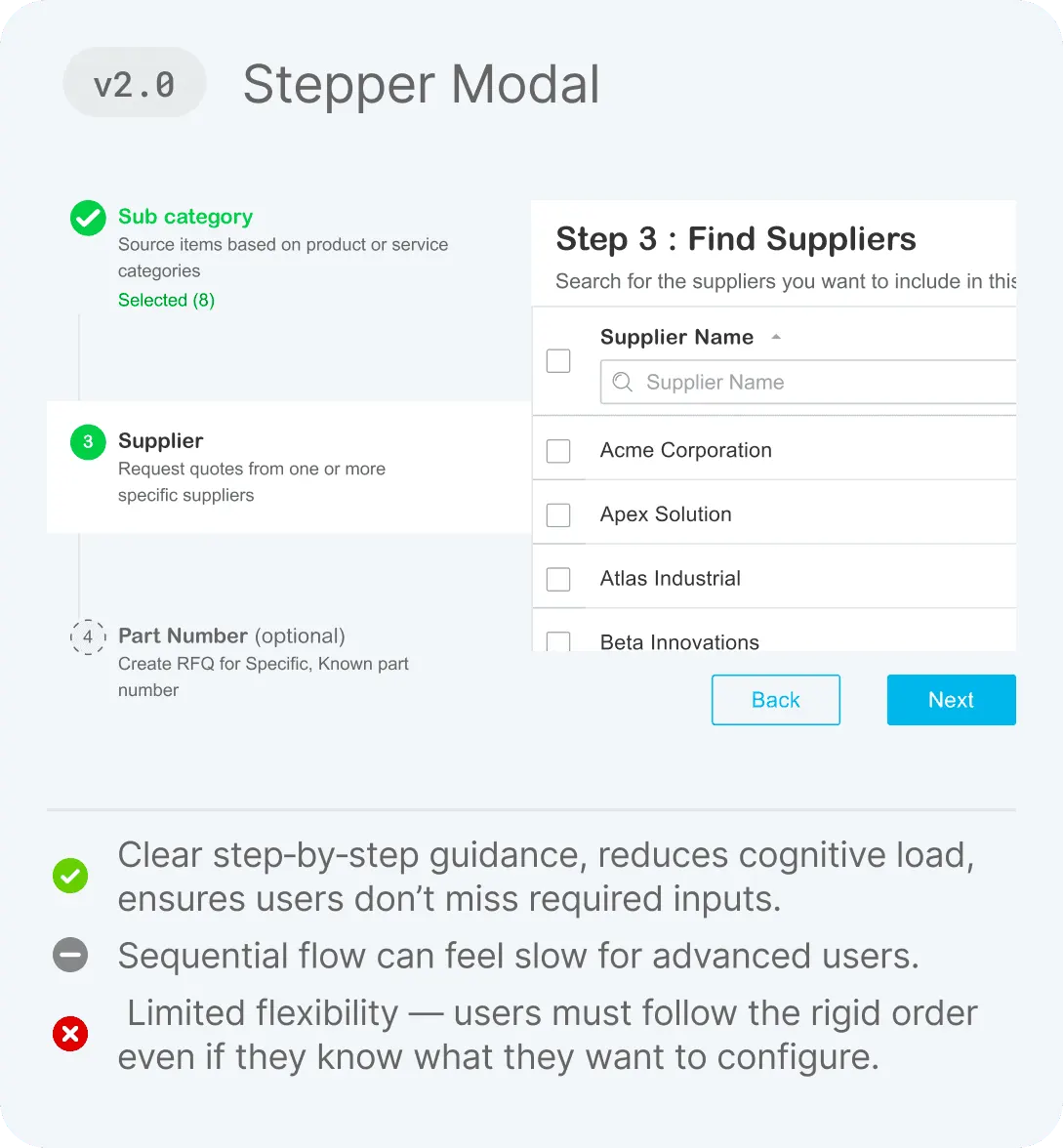
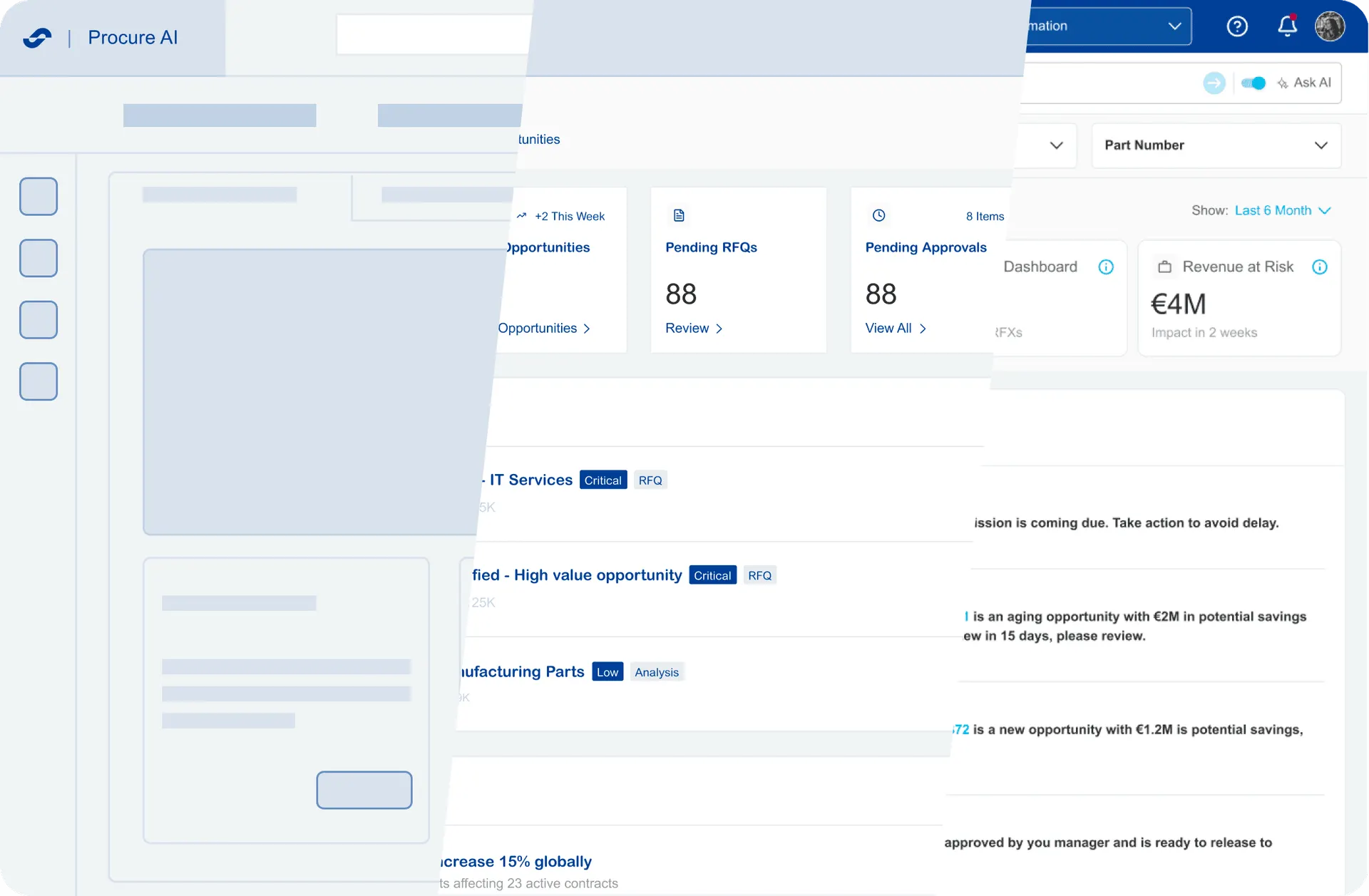
[Dashboard]
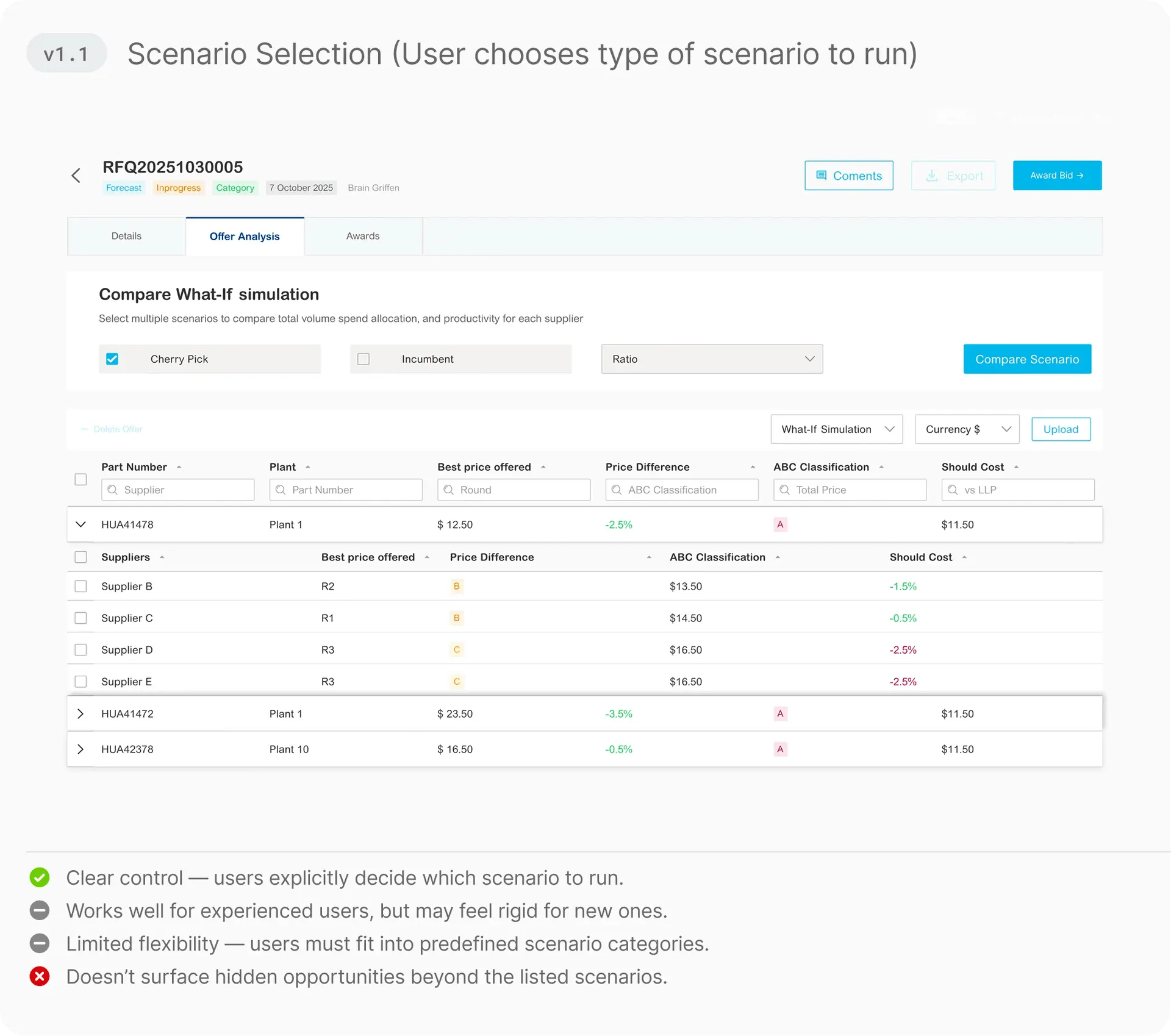
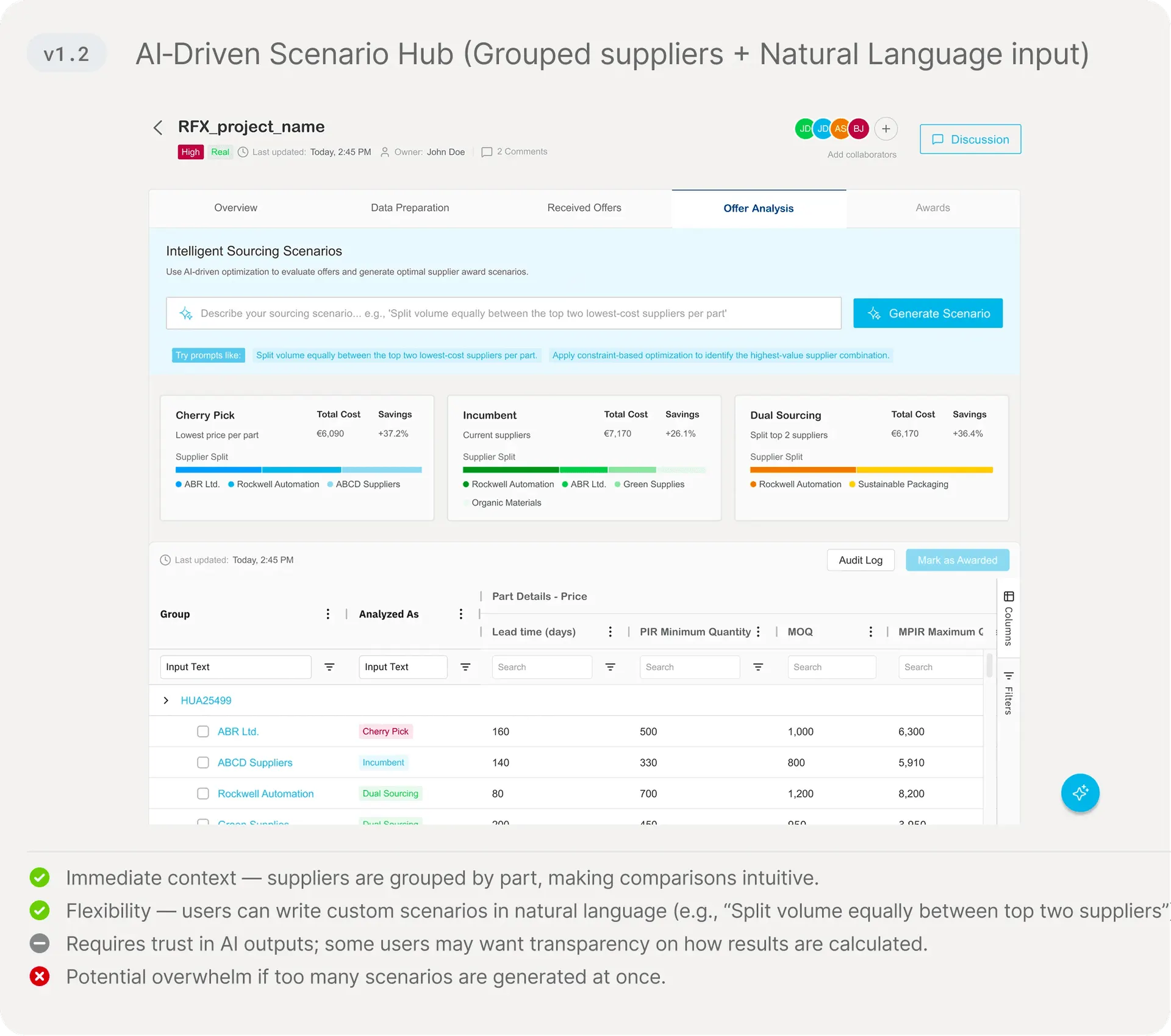
[Offer Analysis]
Final Design
Visualizing the Experience
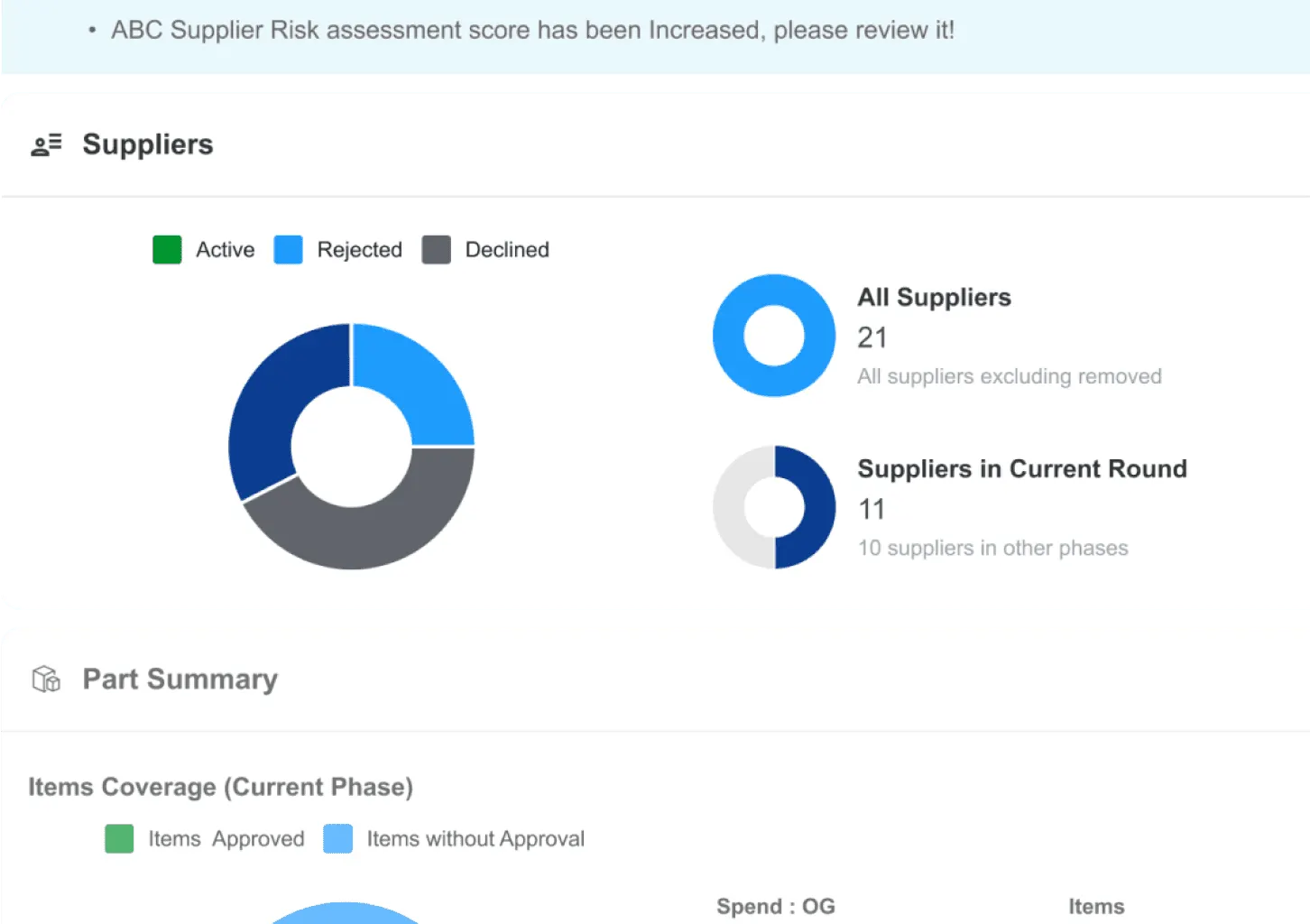
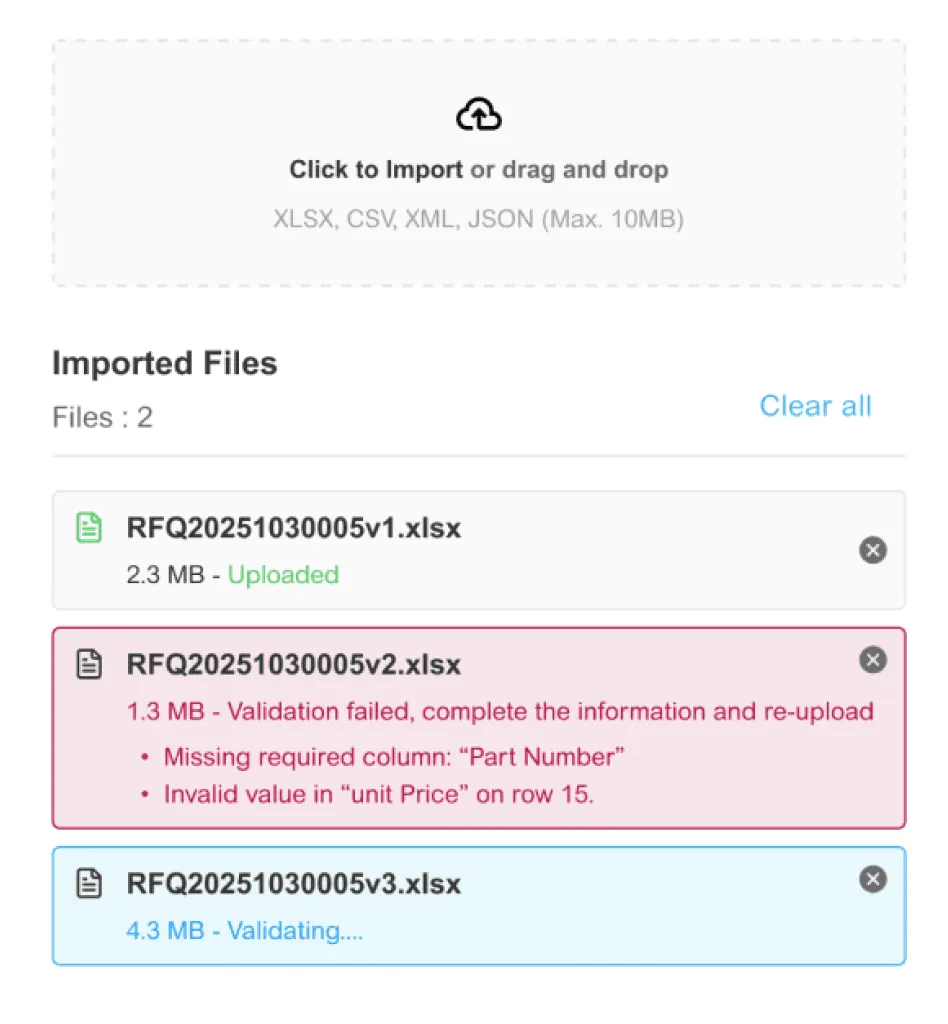
Integrating legacy ERP data with real-time AI predictions presented latency challenges. I collaborated with Engineering to design asynchronous loading states, ensuring users remained engaged without feeling blocked by system delays.
Learnings
Struggles turned into outcomes, and outcomes into lessons — making me a better UX designer with sharper instincts for clarity, trust, and impact.
Balancing guidance vs. flexibility
Enterprise users require dense data but are easily overwhelmed. I utilized progressive disclosure to surface critical AI summaries first, allowing power users to drill down into complex data only when necessary.
Building trust in AI outputs
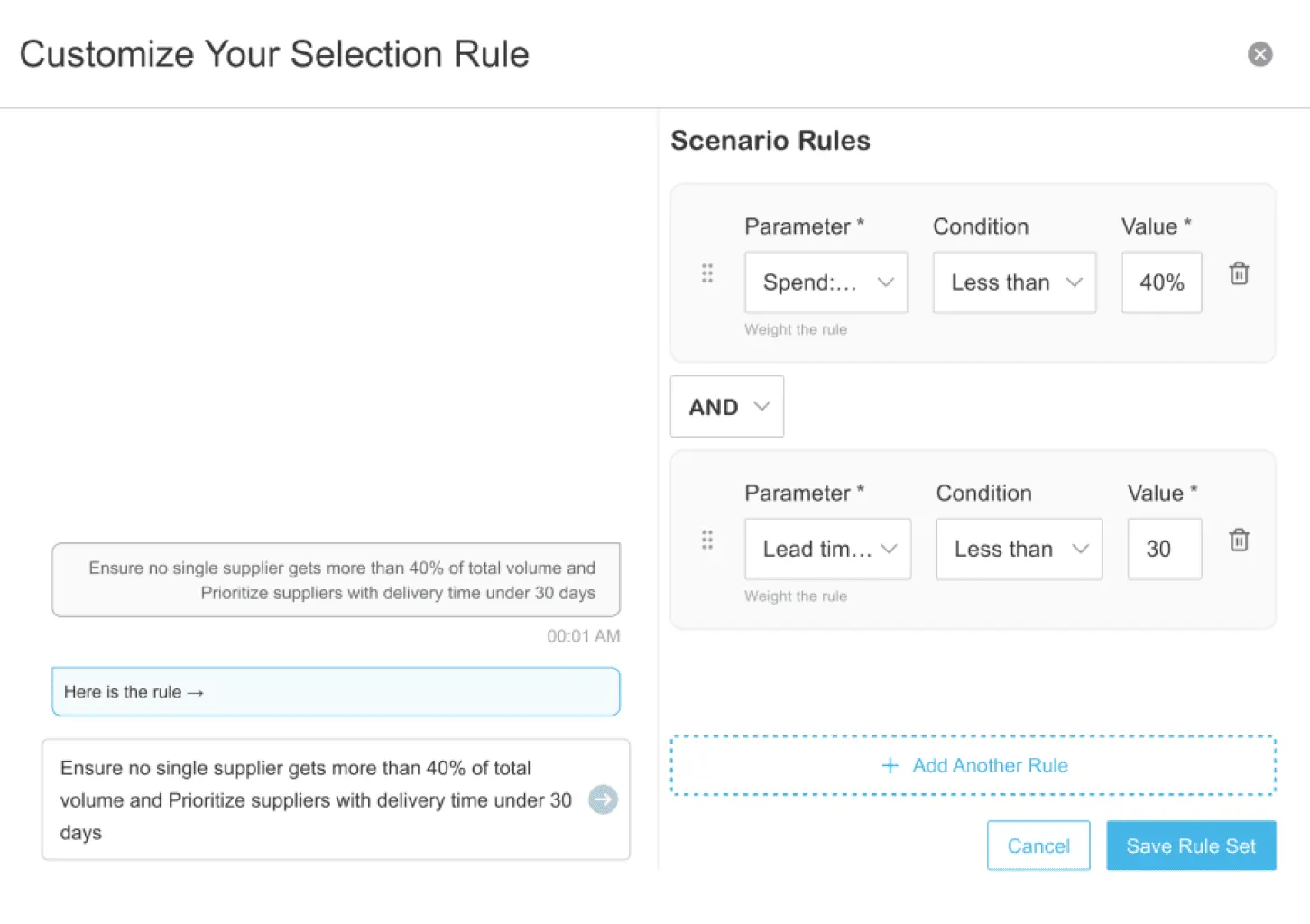
AI in procurement is a black box. To build trust and drive adoption, I designed transparent 'what-if' simulations, ensuring category managers felt in control of the final decision.
Aligning user frustrations with business goals
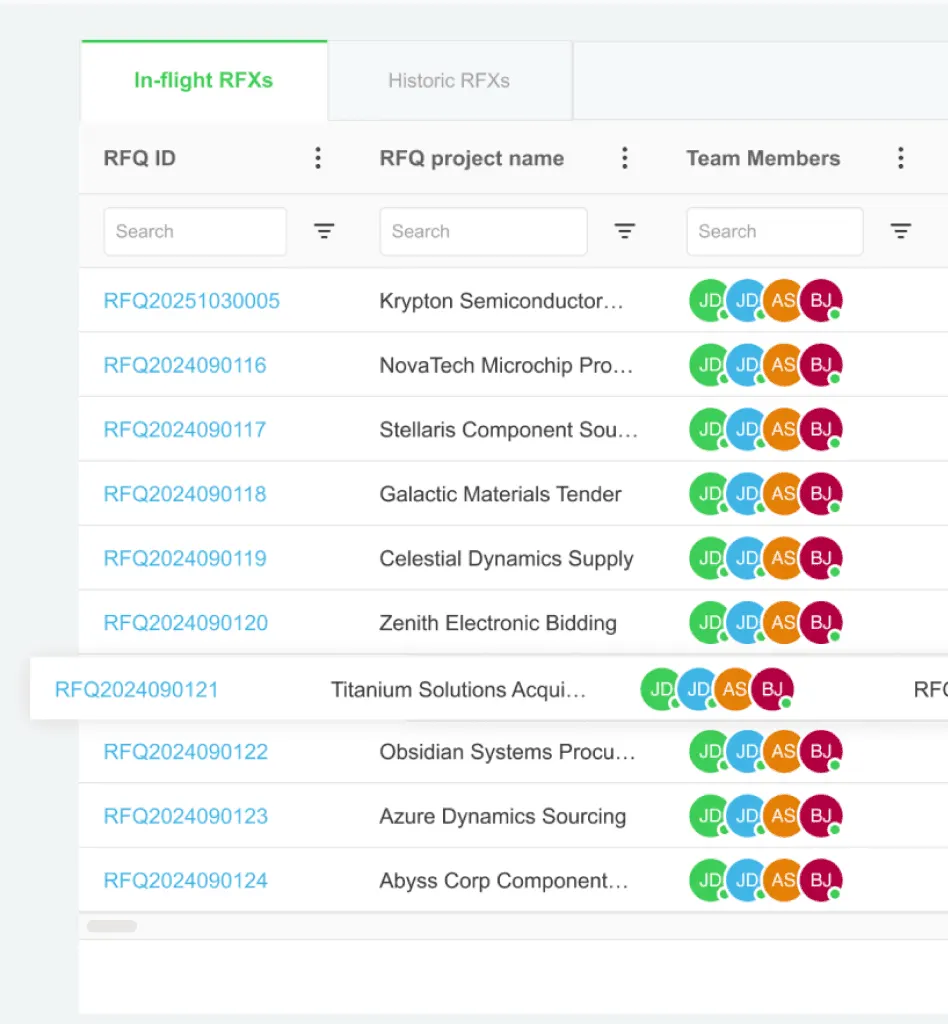
I designed a prioritized task center that not only reduced cognitive load but directly accelerated the RFQ-to-award pipeline for the business.
Users overwhelmed by too many fields
Leveraged Cognitive Load Theory — chunking information into steps (stepper modal) reduced mental effort.